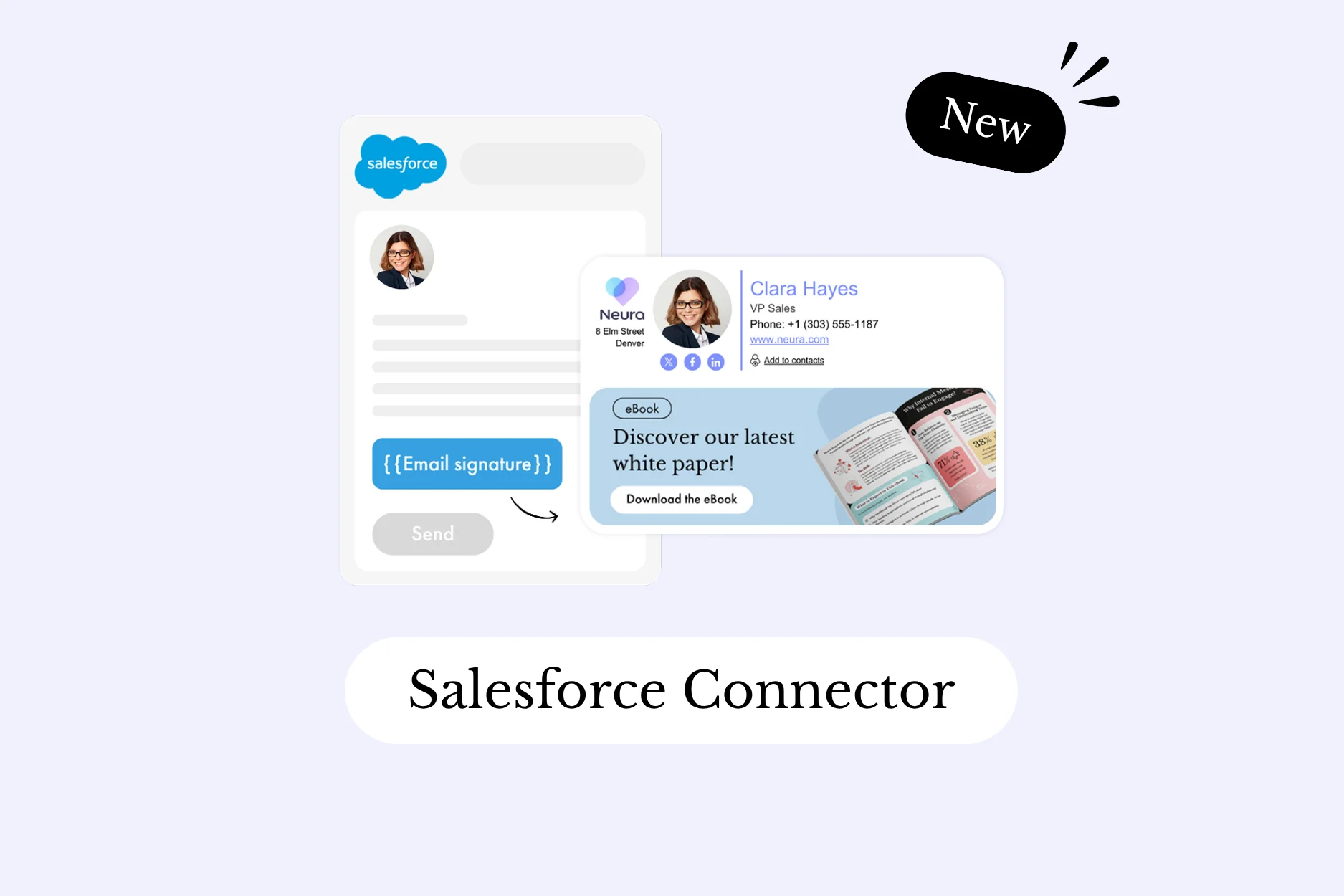
Bonne nouvelle pour les équipes qui utilisent Salesforce au quotidien : le connecteur natif Letsignit pour Salesforce est disponible !
Concrètement, chaque mail envoyé depuis Salesforce applique désormais automatiquement la signature mail et la campagne assignées au collaborateur dans Letsignit.
Le tout, sans copier-coller, sans vérification manuelle, sans action de la part de vos équipes.
Salesforce est au cœur des échanges commerciaux et du service client. Des dizaines, parfois des centaines de mails partent chaque jour depuis le CRM, à destination de prospects, des clients, des partenaires. Pourtant, ces mails échappent souvent aux standards de signature définis par votre équipe com' ou marketing.
Résultat : des mails qui partent sans signature, ou avec une signature copiée-collée à la main, souvent incomplète ou déjà obsolète. C’est un angle mort qui érode votre image de marque, mail après mail.
Désormais, ce connecteur comble cet angle mort !
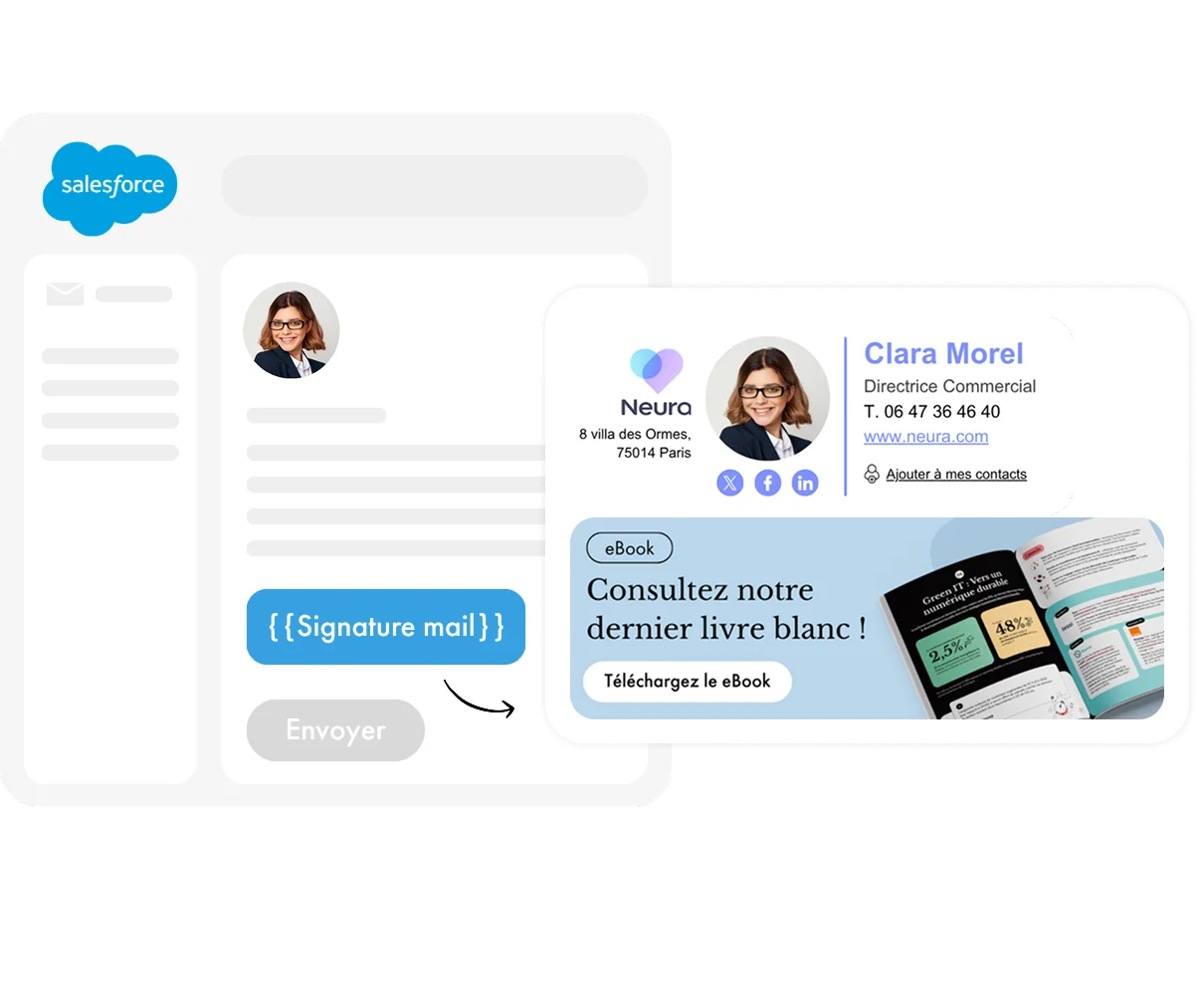
Une fois le connecteur activé, Salesforce récupère automatiquement la signature et la campagne correspondant à chaque collaborateur et les applique à chaque mail sortant via le compositeur d'emails Salesforce Lightning.
Aucune manipulation n'est requise de la part des utilisateurs. Tout est automatisé. La signature mail s'applique de la même façon qu'elle le serait avec Letsignit depuis Outlook ou Google Workspace : selon les mêmes règles de priorité, les mêmes modèles, les mêmes campagnes en cours.
Le connecteur est compatible avec Salesforce Lightning (Sales Cloud, Service Cloud et Marketing Cloud), sur desktop comme sur mobile.

Le connecteur s'active en quelques clics depuis la plateforme Letsignit, suivi d'une mise à jour des paramètres côté Salesforce. Une fois en place, il ne nécessite aucune maintenance ni intervention technique récurrente.
Si un collaborateur ne dispose pas encore de signature Letsignit, le comportement est non bloquant : le mail part simplement sans signature ajoutée.
Avec ce connecteur, vos signatures mail couvrent maintenant tous vos échanges, y compris ceux envoyés depuis Salesforce. Même charte, même campagne, même niveau de contrôle, quel que soit l'outil d'envoi.
Parce qu’en fin de compte, vos clients et prospects ne voient pas l'outil. Ils voient votre marque. D’où l’importance de la maîtriser partout.
---
Prêt pour voir tout ça en action? Faites comme les 6000 clients qui vous précèdent et demandez une démo !
Vous utilisez déjà Letsignit et souhaitez activer ce connecteur ? Retrouvez toutes les instructions dans notre centre d'aide.
Yes, with the 'Campaigns' offer, it is possible to track the number of clicks on the email signatures of all your employees in the 'Statistics' area of the platform.
You can then access a detailed or global view of the number of clicks on the email signatures of each employee. You can use the search option to target a specific signature or a given period. Finally, you have the possibility to export all statistics to an Excel document.
If you launch campaigns with banners inserted in your email signatures, you can also access their performance via this same space.
With Letsignit, you can easily add social network icons in your collaborators' email signatures and link to your company pages. Also, our "attributes" feature allows you to manage personalized URLs for each of your collaborators such as their individual LinkedIn profile.
And that's not all: you can add links to an appointment-setting application, allow your customers to leave reviews easily, and integrate our 'Chat on Teams' widget to let anyone start a discussion via Microsoft Teams chat.
It’s up to you! As an administrator of the Letsignit platform, you choose whether or not to grant modification rights to your employees. These permissions are managed on an attribute-by-attribute basis, which means that you can decide to allow the employee to change their phone number, but not the address of your premises, for example.
This feature applies to all attributes in your directory, including custom attributes created on Letsignit. When your employees change one or more attributes, your directory is obviously not affected.
It often happens that employees make their email signature their own: custom format, bad fonts, colors inconsistent with the brand standards... all of this has an impact on your brand!
A consistent visual identity is considered authentic and outperforms a perceived weak one by 20%. And, your customers are 2.4 times more likely to buy your products.
With Letsignit, take back control over your brand identity by standardizing all your email signatures. Our tool has many features that allow you to customize your signatures by department, by audience or by subsidiary. Not to mention the possibility of carrying out campaigns within your email signatures thanks to our Campaign offer.
What is the user experience like for our employees?
In both cases:
In short, they have autonomy in their email signature, but you keep control on the field, signatures, and banners they can edit or use.
With our "multi-signature" feature, your employees can benefit from multiple email signatures. No technical manipulation is required. Thanks to our Add-in for Outlook or the desktop app, they can change their email signatures as they wish with just a few clicks.
Regarding the creation of email signatures, you can make several variations such as:
Everything has been thought of to go further in the personalization process based on the recipient of your emails.
If sending emails has an impact, non-optimized email signatures also have an impact. An unsuitable format or an image that is too heavy considerably increases the size of your signatures... and therefore, your emails.
As a responsible economic actor, we contribute to reducing our CO2 emissions and those of our customers in several ways:
As we are increasingly involved in sustainability initiatives, our priority in 2023 is to develop even more green IT functionality.
If sending emails has an impact, non-optimized email signatures also have an impact. An unsuitable format or an image that is too heavy considerably increases the size of your signatures... and therefore, your emails.
As a responsible economic actor, we contribute to reducing our CO2 emissions and those of our customers in several ways:
As we are increasingly involved in sustainability initiatives, our priority in 2023 is to develop even more green IT functionality.