
Product
Publié le
Mis à jour le
13 October 2026

ABM : ciblez vos campagnes de bannières mail auprès de vos comptes stratégiques

Par
Letsignit

Vos comptes stratégiques échangent déjà avec vos équipes. Et si ces échanges devenaient aussi une occasion de diffuser des campagnes Marketing adaptées à chaque entreprise ?

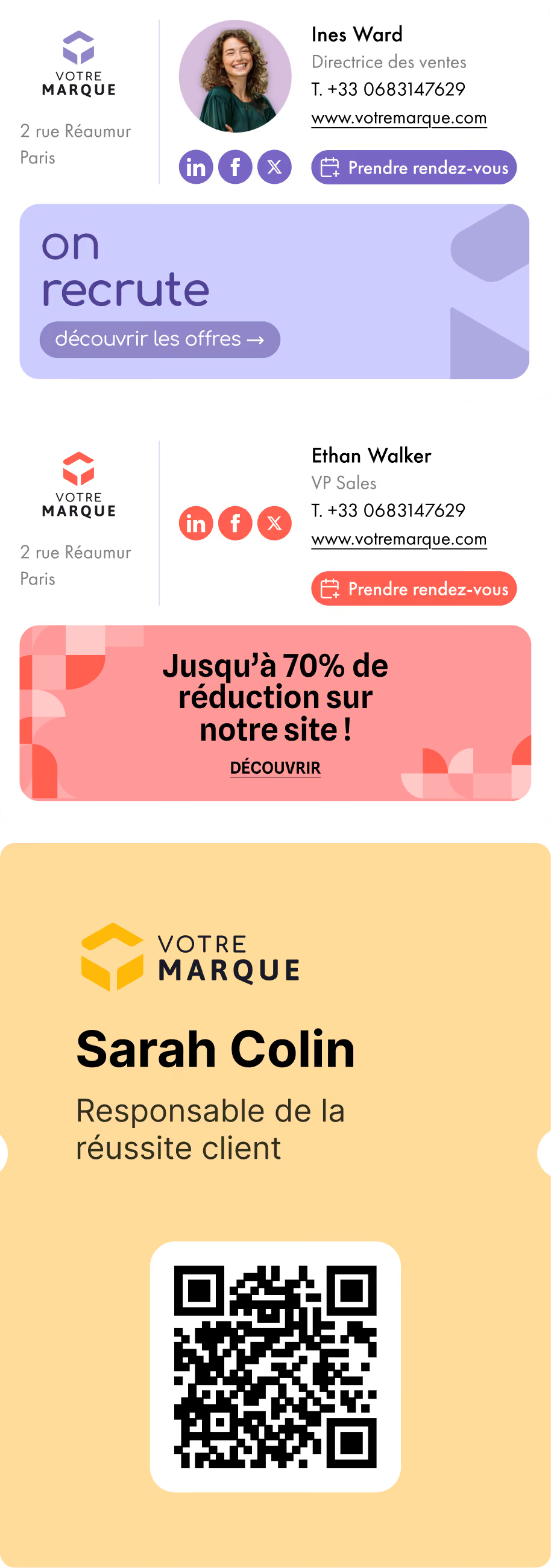
Letsignit permet aux entreprises de gérer les signatures email de leurs collaborateurs et d’y intégrer des campagnes de communication. Les signatures deviennent ainsi un canal à part entière pour relayer et amplifier les prises de parole marketing.

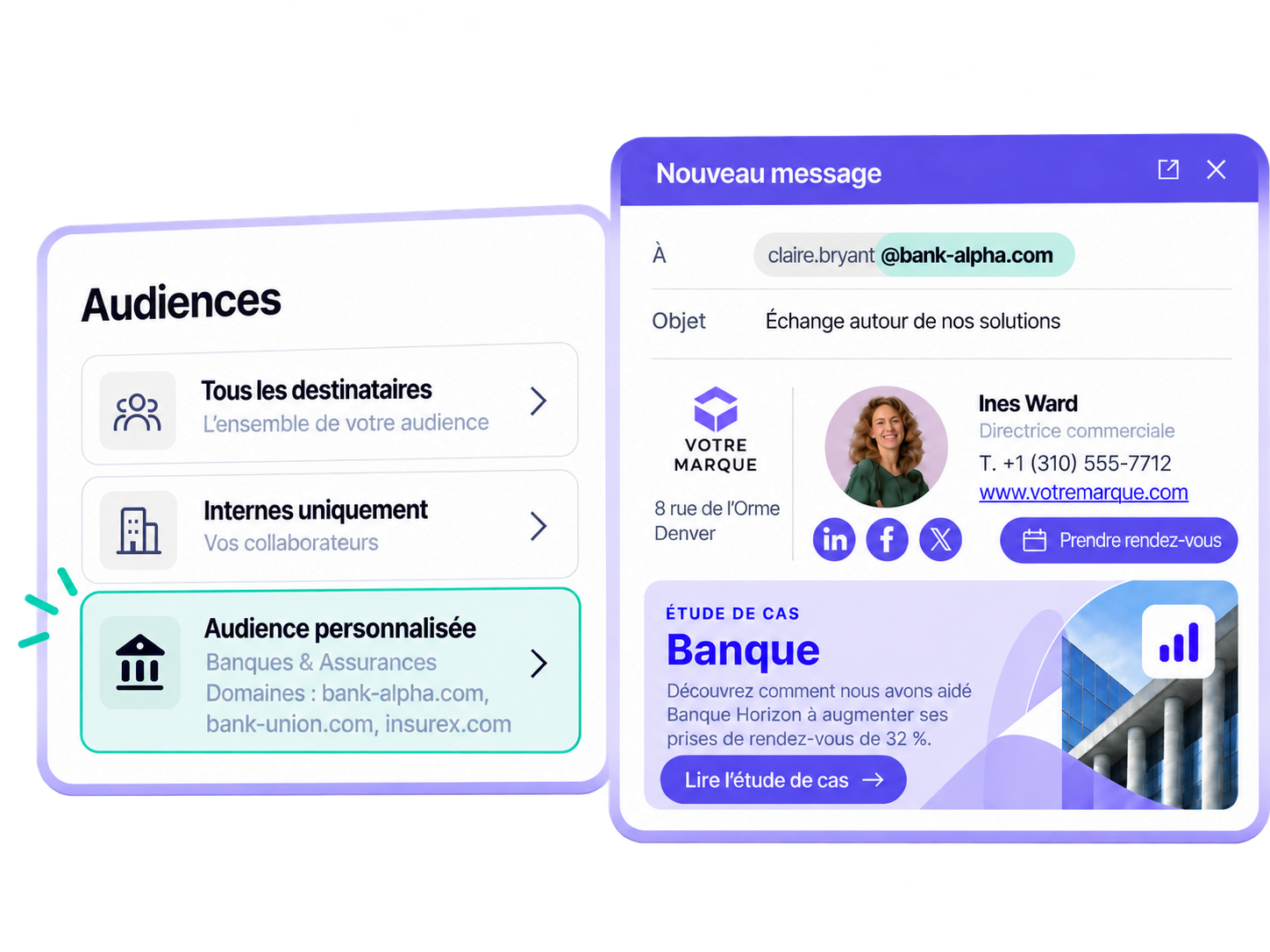
Avec Audiences personnalisées, les équipes Marketing peuvent prolonger leur stratégie ABM dans les échanges quotidiens de leurs équipes, en adaptant la diffusion des campagnes au type de destinataire et aux comptes stratégiques ciblés.

Des campagnes adaptées à chaque audience

Une bannière destinée à vos prospects n’a pas nécessairement sa place dans vos échanges internes. De même, un contenu conçu pour un compte stratégique ne concerne pas forcément l’ensemble de vos destinataires.

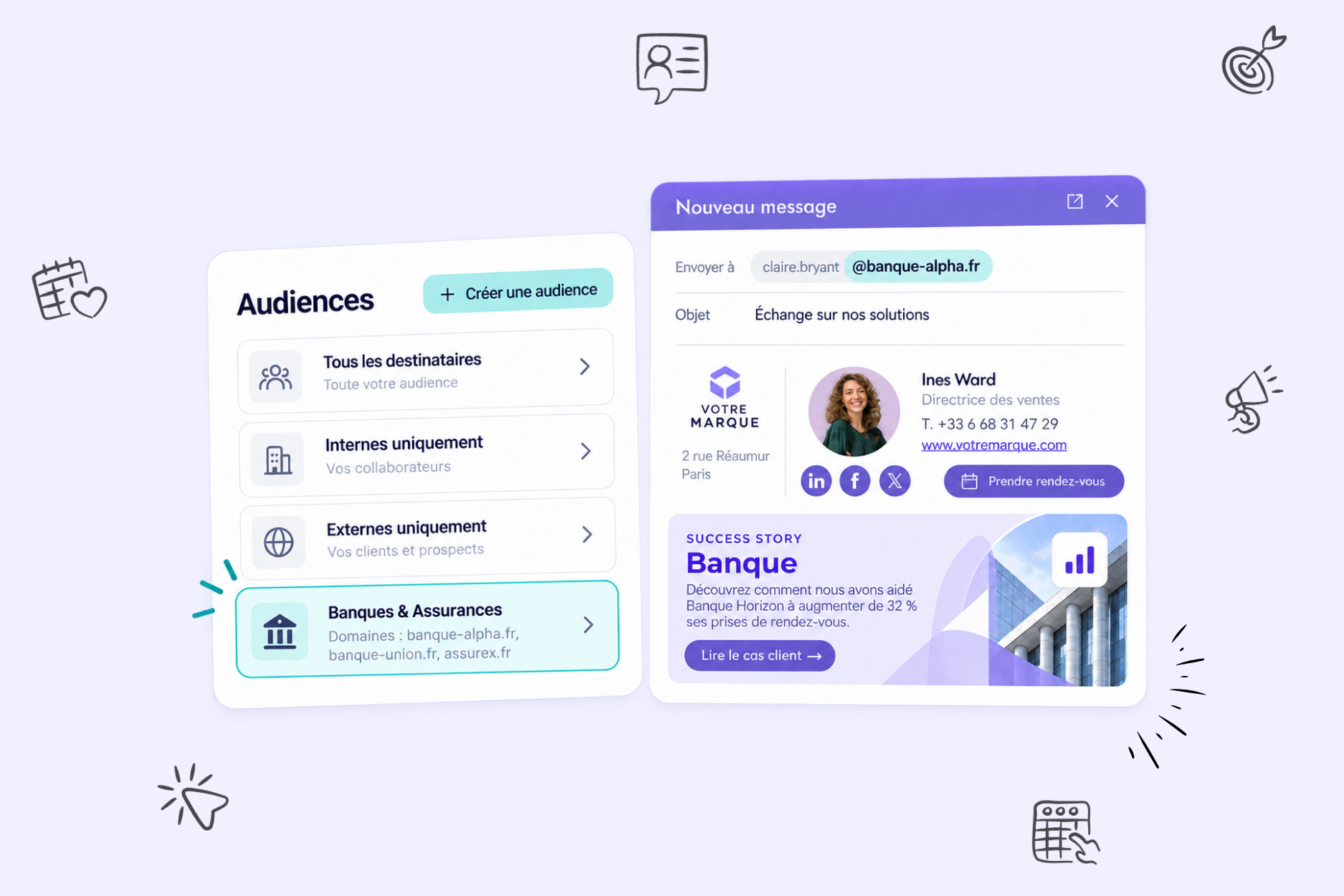
Avec Audiences personnalisées, vous pouvez définir à qui afficher vos campagnes de bannières mail :
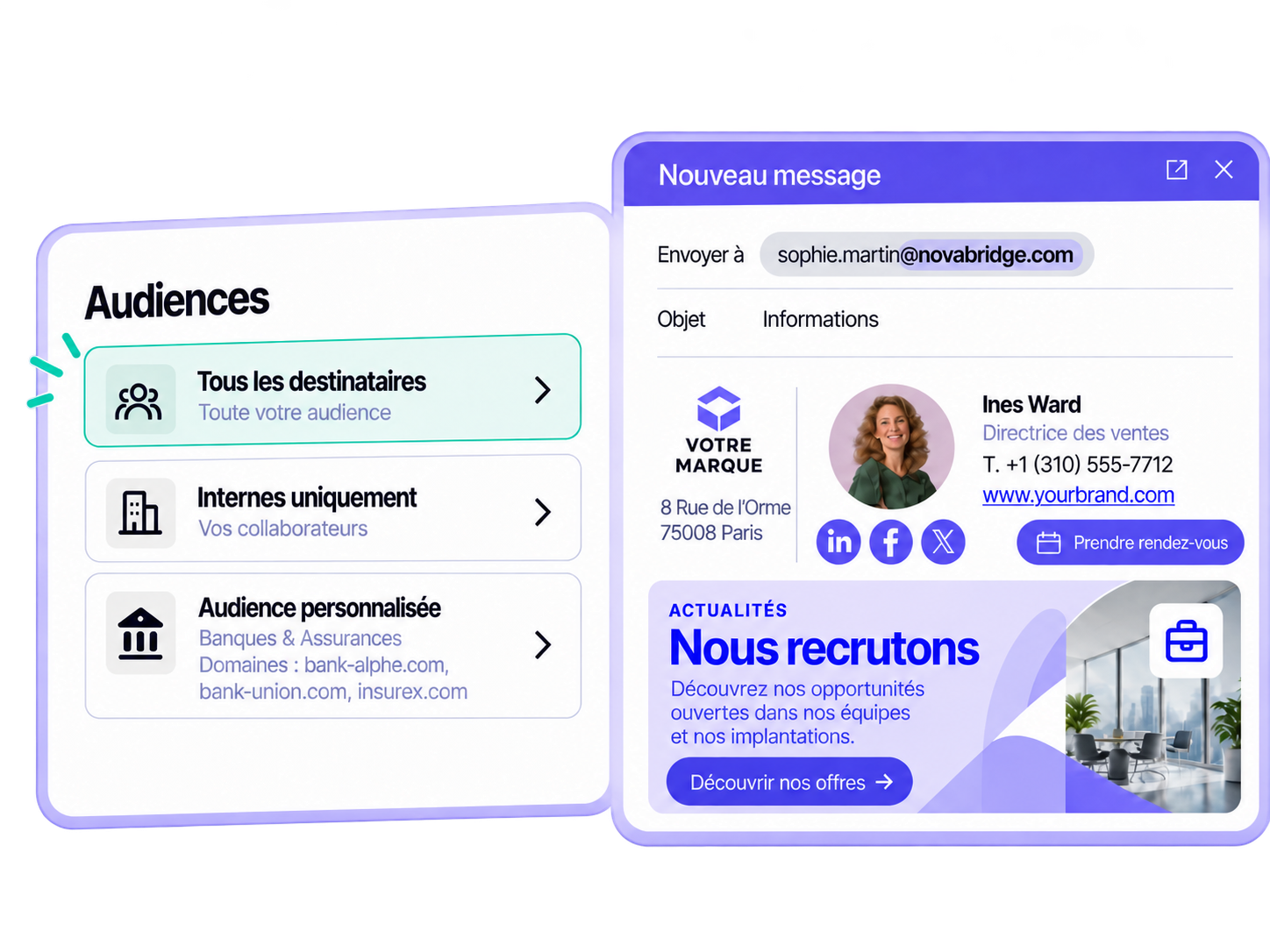
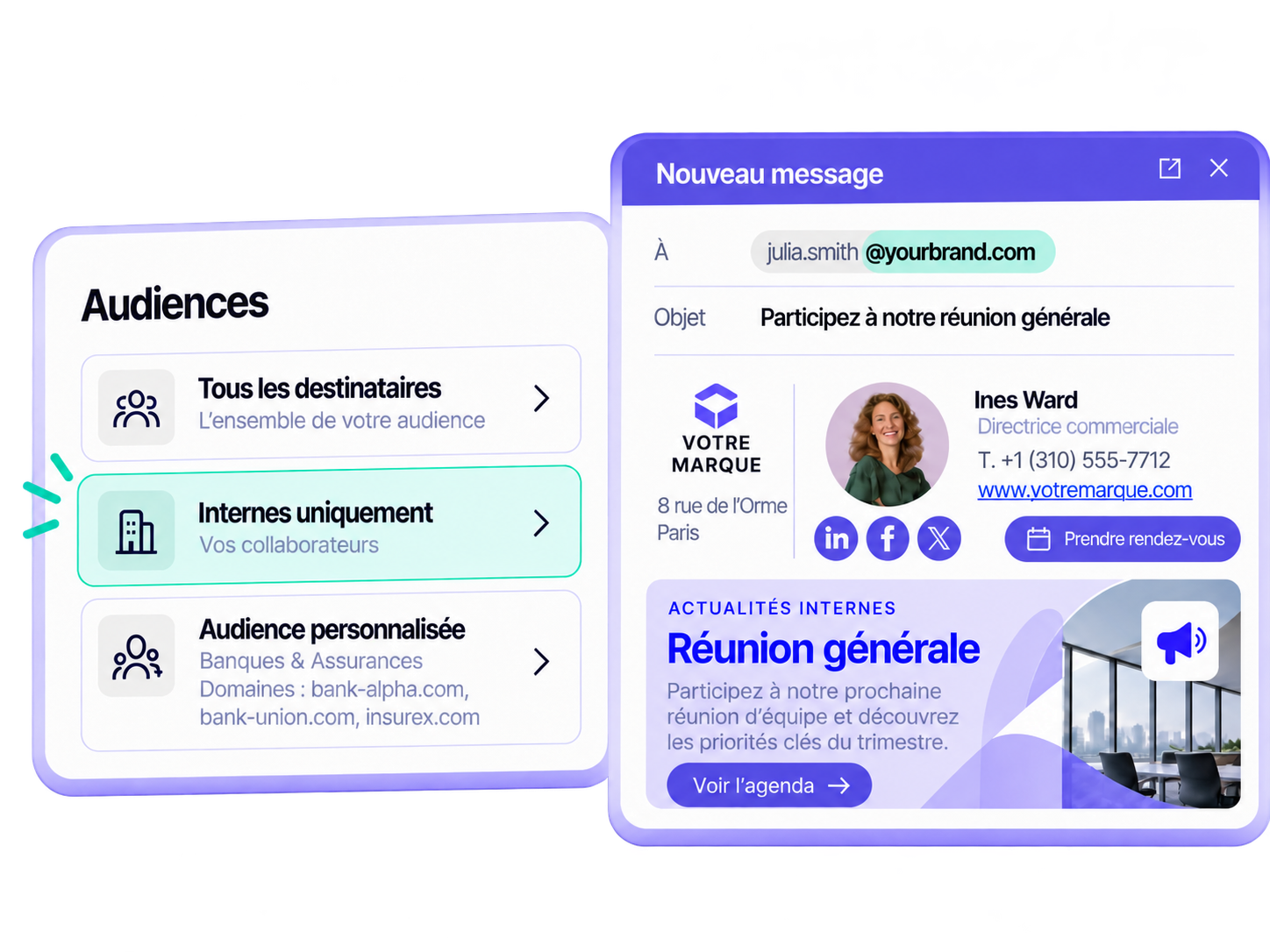
  • Tous les destinataires : pour diffuser une campagne auprès de tous les destinataires concernés.
  • Destinataires internes : pour réserver une campagne aux échanges entre collaborateurs de la même organisation.
  • Destinataires externes : pour réserver une campagne aux échanges avec des prospects, clients ou partenaires.

L’équipe Marketing définit le ciblage en amont. Les collaborateurs, eux, continuent d’envoyer leurs emails comme d’habitude, sans action supplémentaire.

Un point d’activation supplémentaire pour votre stratégie ABM

Imaginez que votre équipe souhaite promouvoir un événement auprès de l’un de vos comptes prioritaires.

Dans le cadre du ciblage des destinataires externes, elle peut sélectionner le domaine de cette entreprise afin d’afficher une bannière d’invitation dans les signatures des collaborateurs qui échangent avec ses contacts.

La campagne accompagne ainsi la conversation déjà engagée, sans nécessiter de nouvel envoi ni d’action supplémentaire pour les équipes commerciales.

Ce principe peut également servir à :

  • promouvoir une invitation auprès d’un compte ou d’un groupe de comptes ;
  • partager un contenu en lien avec leurs enjeux ;
  • relayer une actualité ou une campagne conçue pour les entreprises ciblées

L’objectif n’est pas de multiplier les messages, mais de rendre plus pertinente la bannière qui accompagne déjà l’échange.

Étendre l’ABM sans ajouter une nouvelle plateforme

Letsignit ne remplace pas les plateformes qui structurent votre stratégie ABM.

La solution permet plutôt de l’étendre à un point de contact supplémentaire : les campagnes de bannières mail intégrées aux signatures des collaborateurs qui échangent déjà avec les comptes ciblés.

Le fonctionnement est simple :

  1. L’équipe Marketing définit la campagne et son audience,
  2. les collaborateurs poursuivent leurs échanges habituels,
  3. la campagne est diffusée selon le ciblage défini.

Audiences personnalisées répond ainsi à la question :

À qui diffuser chaque campagne ?

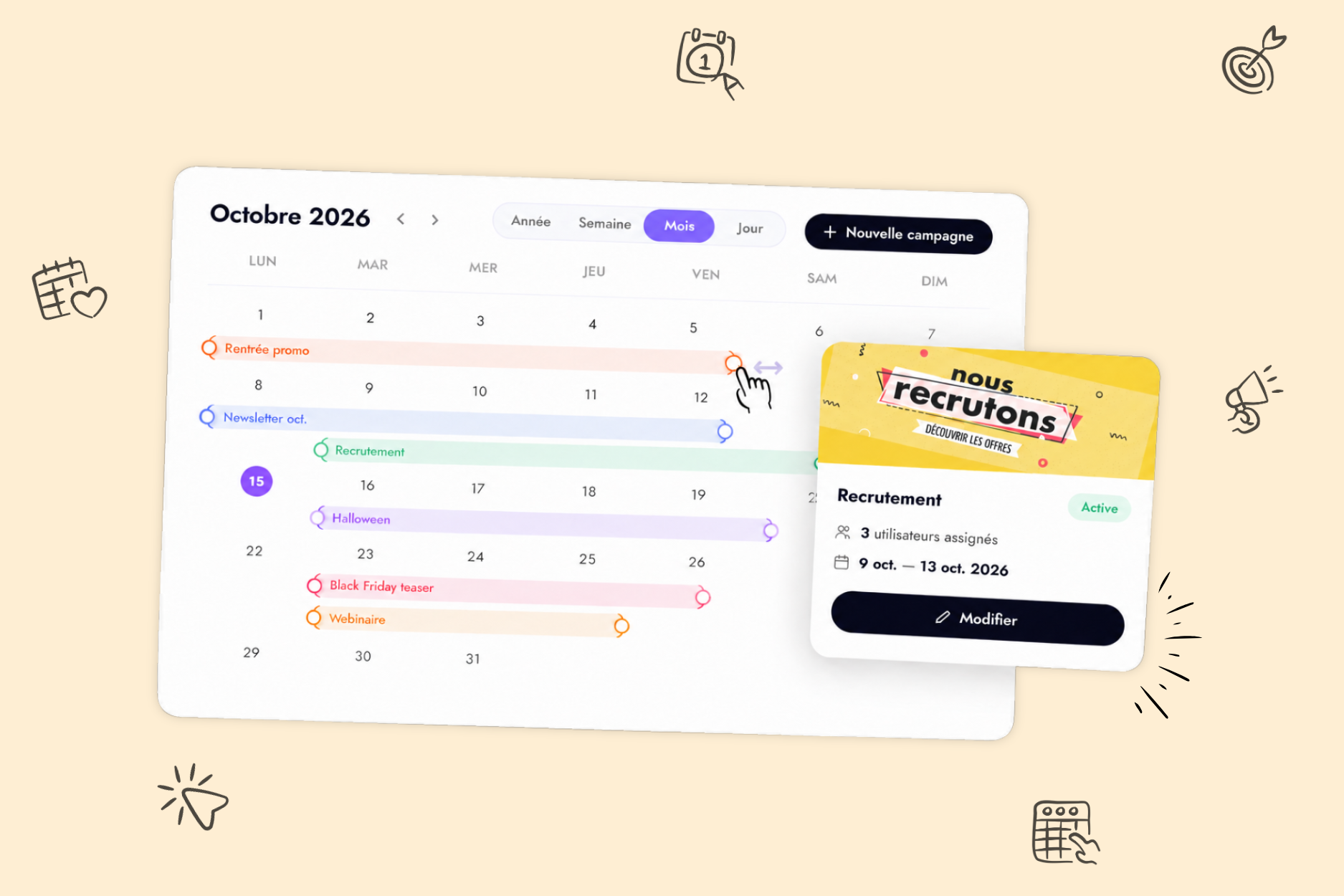
Pour organiser ces activations dans le temps, le Calendrier de Campagne Letsignit permet de répondre à une autre question :

Quand la diffuser ?

Un canal actif entre deux campagnes

Une stratégie ABM ne s’arrête pas lorsqu’une campagne est lancée.

Entre deux activations marketing, vos commerciaux, équipes Customer Success et autres collaborateurs continuent d’échanger avec vos prospects, clients et partenaires.

Audiences personnalisées permet d’inscrire ces échanges dans la continuité de vos campagnes, avec une diffusion adaptée à l’audience ou à l’entreprise ciblée.

Vos équipes continuent d’échanger naturellement. Vos campagnes de bannières mail s’adaptent, elles, à l’audience qui les voit.

Envie de découvrir comment activer vos campagnes auprès de vos comptes stratégiques ?

‍Demander une démo.

À propos de l'auteur
À propos de Letsignit
Letsignit est une solution de gestion de signatures mail qui permet aux organisations de transformer les signatures mail de leurs collaborateurs en un média d'engagement 1-1 puissant pour leurs marques et leurs campagnes.

Questions
Fréquentes

1

Is it possible to track the number of clicks on email signatures?

Yes, with the 'Campaigns' offer, it is possible to track the number of clicks on the email signatures of all your employees in the 'Statistics' area of the platform.

You can then access a detailed or global view of the number of clicks on the email signatures of each employee. You can use the search option to target a specific signature or a given period. Finally, you have the possibility to export all statistics to an Excel document.

If you launch campaigns with banners inserted in your email signatures, you can also access their performance via this same space.

2

Can we add links to social networks, our website, and appointment-setting applications such as Calendly?

With Letsignit, you can easily add social network icons in your collaborators' email signatures and link to your company pages. Also, our "attributes" feature allows you to manage personalized URLs for each of your collaborators such as their individual LinkedIn profile.

And that's not all: you can add links to an appointment-setting application, allow your customers to leave reviews easily, and integrate our 'Chat on Teams' widget to let anyone start a discussion via Microsoft Teams chat.

3

Can employees update their signature information themselves (number, function, etc.)?

It’s up to you! As an administrator of the Letsignit platform, you choose whether or not to grant modification rights to your employees. These permissions are managed on an attribute-by-attribute basis, which means that you can decide to allow the employee to change their phone number, but not the address of your premises, for example.

This feature applies to all attributes in your directory, including custom attributes created on Letsignit. When your employees change one or more attributes, your directory is obviously not affected.

4

Why it is important to standardize our email signatures on a large scale to ensure our identity and brand image?

It often happens that employees make their email signature their own: custom format, bad fonts, colors inconsistent with the brand standards... all of this has an impact on your brand!

A consistent visual identity is considered authentic and outperforms a perceived weak one by 20%. And, your customers are 2.4 times more likely to buy your products.

With Letsignit, take back control over your brand identity by standardizing all your email signatures. Our tool has many features that allow you to customize your signatures by department, by audience or by subsidiary. Not to mention the possibility of carrying out campaigns within your email signatures thanks to our Campaign offer.

5

What is the user experience like for our employees?

What is the user experience like for our employees?

  • If you opt for the Letsignit Add-in for Outlook, they will have a dedicated space in their Outlook account where they will be able to view the signatures and campaigns assigned to them.
  • If you opt for the Letsignit Desktop APP, they will be able to preview all their signatures and campaigns in this space. If they want to change their default signature to another one when sending an email, this will be done in their signature library in Outlook.

In both cases:

  • They preview their signature before sending an email and choose from signatures assigned to them.
  • Based on the permissions granted, they will also be able to modify their personal information such as their name, position, or address in these spaces.

In short, they have autonomy in their email signature, but you keep control on the field, signatures, and banners they can edit or use.

6

Can my employees have multiple signatures available to them?

With our "multi-signature" feature, your employees can benefit from multiple email signatures. No technical manipulation is required. Thanks to our Add-in for Outlook or the desktop app, they can change their email signatures as they wish with just a few clicks.

Regarding the creation of email signatures, you can make several variations such as:

Everything has been thought of to go further in the personalization process based on the recipient of your emails.

7

Regarding “Green IT,” have you implemented measures to limit the digital footprint of email signatures?

If sending emails has an impact, non-optimized email signatures also have an impact. An unsuitable format or an image that is too heavy considerably increases the size of your signatures... and therefore, your emails.

As a responsible economic actor, we contribute to reducing our CO2 emissions and those of our customers in several ways:

  • Optimization of the weight of signatures and campaigns in emails.
  • Green features: lightening of signatures during response/transfer emails, possibility of not embedding images, implementation of lighter signatures for internal exchanges.
  • Integration of a 'Switch to Teams' widget to encourage your employees to continue their exchanges via chat, rather than email.

As we are increasingly involved in sustainability initiatives, our priority in 2023 is to develop even more green IT functionality.

8

Regarding “Green IT,” have you implemented measures to limit the digital footprint of email signatures?

If sending emails has an impact, non-optimized email signatures also have an impact. An unsuitable format or an image that is too heavy considerably increases the size of your signatures... and therefore, your emails.

As a responsible economic actor, we contribute to reducing our CO2 emissions and those of our customers in several ways:

  • Optimization of the weight of signatures and campaigns in emails.
  • Green features: lightening of signatures during response/transfer emails, possibility of not embedding images, implementation of lighter signatures for internal exchanges.
  • Integration of a 'Switch to Teams' widget to encourage your employees to continue their exchanges via chat, rather than email.

As we are increasingly involved in sustainability initiatives, our priority in 2023 is to develop even more green IT functionality.

Questions Fréquentes

1

2

3

4

5

6

7
8

Vous cherchez un outil pour gérer vos signatures mail ?

Créez, gérez et déployez les signatures mail de tous vos collaborateurs en quelques clics grâce à Letsignit.
Découvrir Letsignit