Marketing
Published:
April 30, 2026
Updated:
April 30, 2026

How Email Signatures Impact Marketing Performance

By
Guillaume De la Sablonnière
Content Factory Manager

You just launched a campaign. The landing page is live, the ads are running, the newsletter is out. And yet, the traffic numbers are... fine. But not really great. You find yourself increasing the budget, A/B testing the subject line for the fifth time, wondering if there is something you are missing... or something else you could do.

In fact... there is. And it has been sitting in your team's outbox the whole time.

TL;DR - Key Takeaways

Your employees send dozens of emails every day, to prospects, clients, and partners. That's thousands of 1:1 conversations happening across your organization, yet almost no one treats the email signature as a marketing channel.

The opportunity is right there in your team's outbox. Sync your signature banners with your active campaigns, target the right audience, and track performance. It won't replace your other channels. It's the layer that makes all of them more visible.


Interested in that topic?

Make sure to download our one pager "The Do's and Don'ts of Email Signature in Marketing Performance"

The channel hiding in plain sight

Every day, your employees send around 30 emails each. Thousands of 1:1 conversations happening every single day, with prospects, clients, partners.  Not filtered by an algorithm. Not competing for space in an ad auction. Valuable 1:1 interaction.

And at the bottom of each one? A signature. Usually static. Often inconsistent. Almost never treated as a marketing channel.

That is where the opportunity is.

Very few marketing teams think of the email signature as a channel. Most use it for branding (28.7%) or standardization (25.1%), which already makes sense. But only around 7% actively use it for marketing purposes. Which means the vast majority of companies are sending thousands of high-intent touchpoints every day, and doing almost nothing with them.

That should feel like a missed opportunity. Because it is.

Not just reach. The right reach.

Here is what makes this different from every other channel you are managing.

Traditional marketing emails are interruptions. Cold outreach, newsletters, retargeting ads. You are fighting for attention. The inbox is crowded and people know it.

Employee emails are the opposite. They are part of an ongoing conversation. The recipient already knows your company. They are already engaged. And the numbers reflect that: emails with a branded signature get a 22% higher response rate than those without one. 52% of professionals say a strong email signature is important for building trust with clients. When a signature banner appears in that context, it is not noise. It is a natural extension of an exchange that is already happening.

That changes the math entirely.

Companies using branded email signatures see an average CTR of 15% to their website, compared to just 3% for those that do not. Signature banners specifically reach around 4% CTR, already comparable to or higher than most standard marketing emails. And it happens without a dedicated send, without additional spend, without any disruption to the conversation itself.

The clicks are there. You just haven't activated them yet.

Do the math

Take a company with 500 employees. At 30 emails a day each, that is 15.000 touchpoints going out daily. Apply a 4% CTR and you are looking at 600 clicks every single day, directed at whatever page, event, or campaign you choose. 3.000 a week. At no extra cost.

Most paid campaigns would take a serious budget to get there.

What "using it as a channel" actually looks like

This is not about slapping a banner on every email and calling it a day. The teams doing this well are thinking about it the same way they think about any other campaign channel.

According to HubSpot, the most common marketing use cases for email signatures include:

  • generating leads (18.8%)
  • social media promotion (15.86%)
  • building a newsletter list (10.2%)
  • growing event attendance
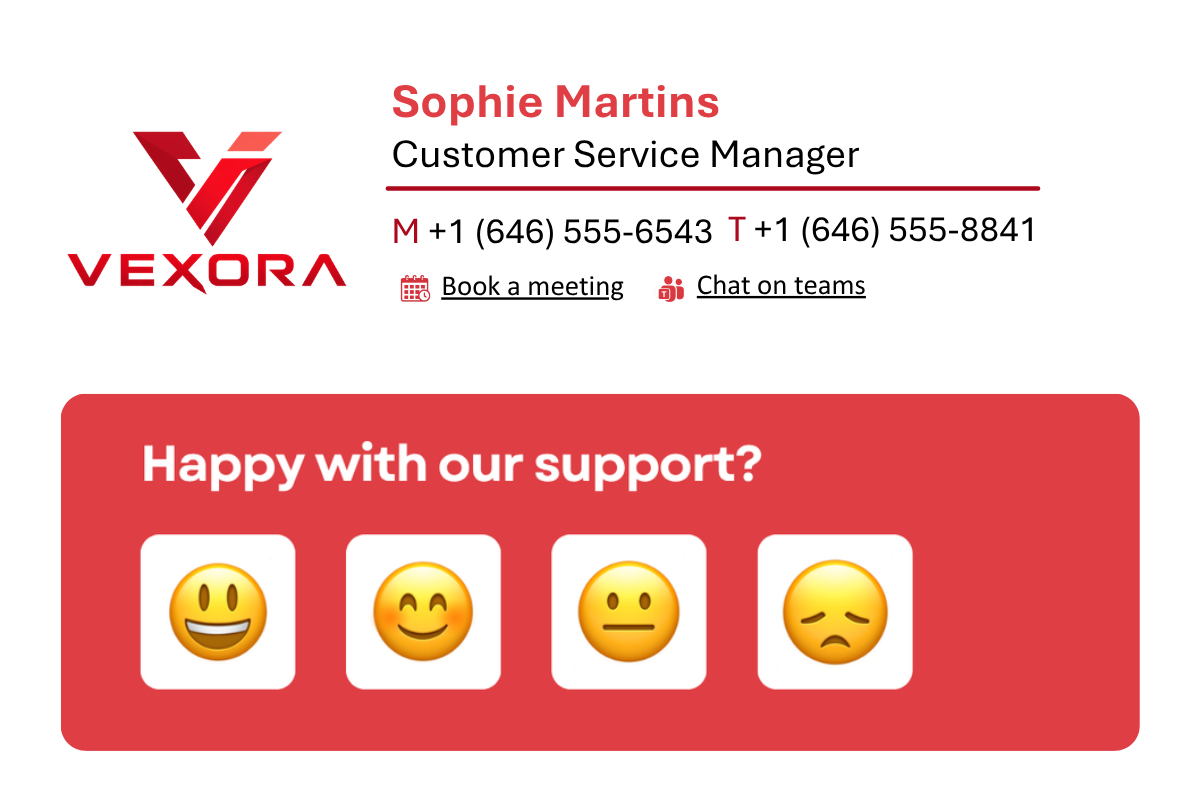
  • collecting feedback through polls or surveys
  • helping Sales book more meetings
  • upselling new products and features to existing customers (9%)

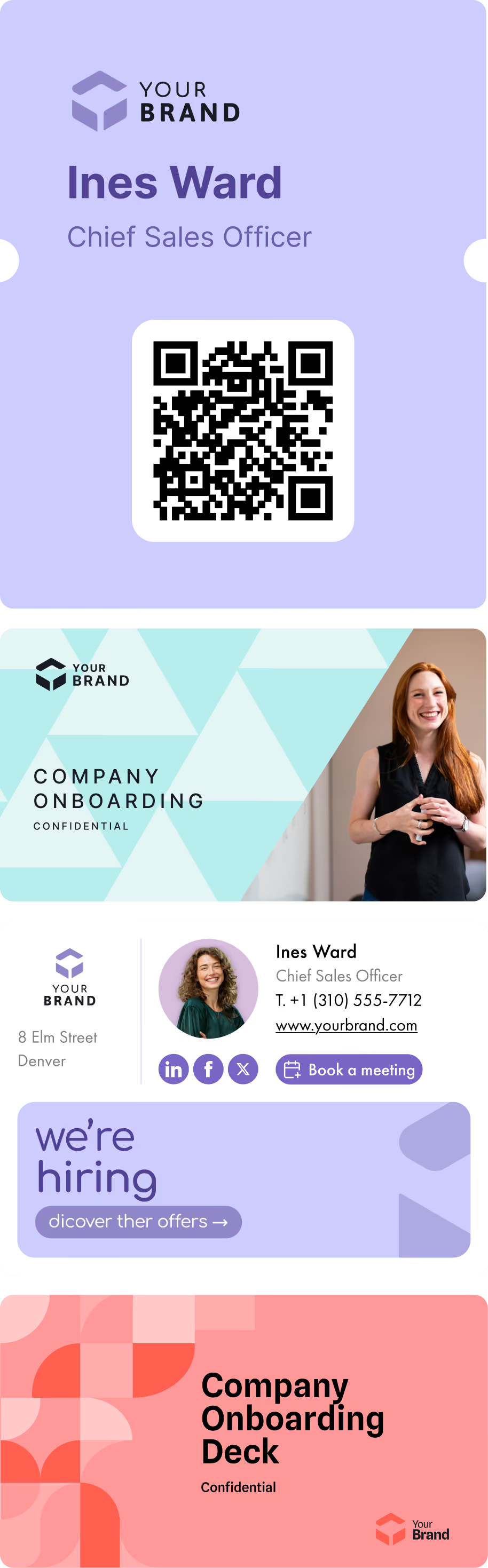
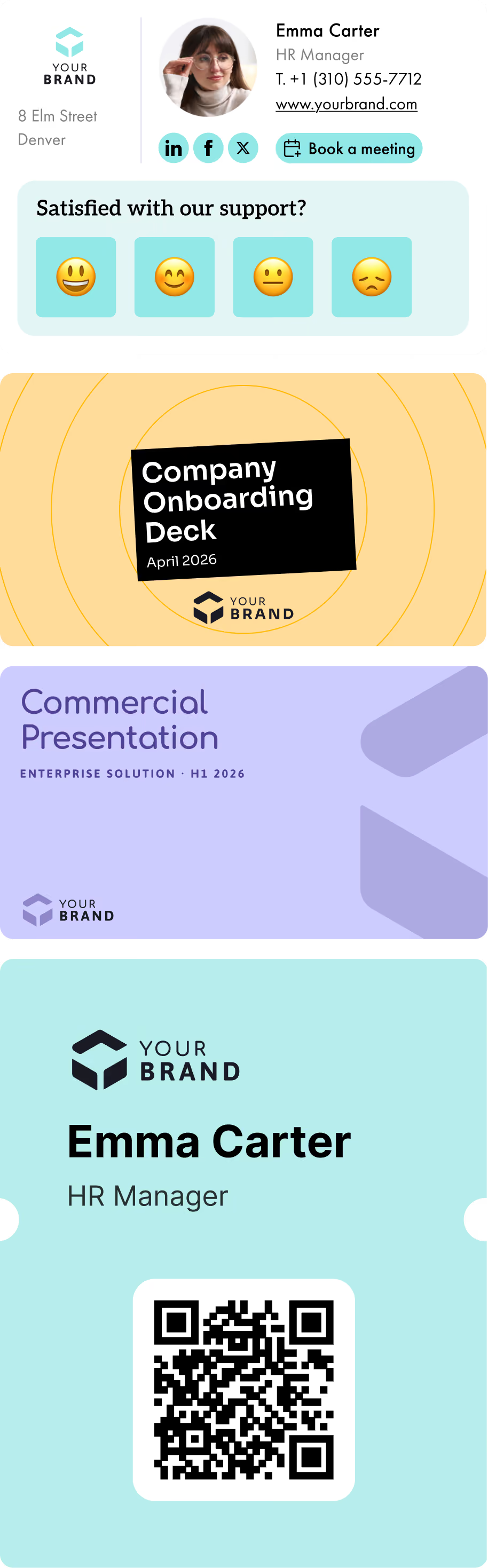
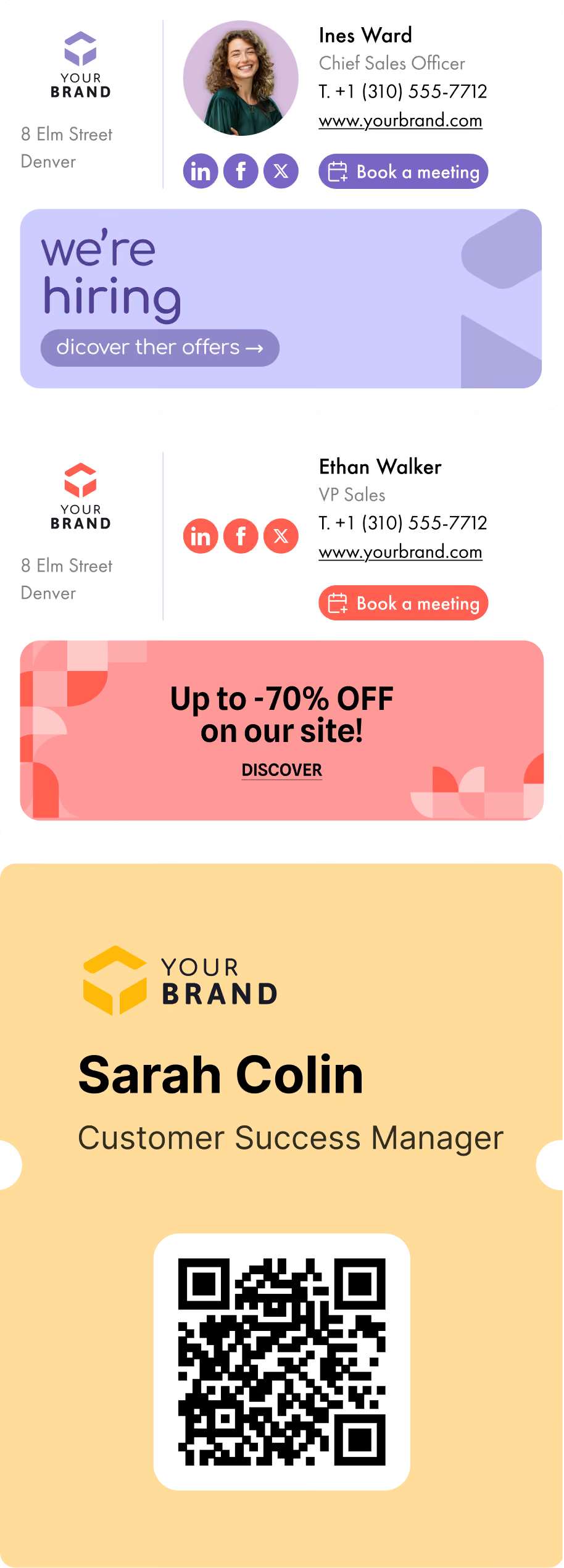
Here are a few examples:

Email Signature Example 1
Email Signature Example 2
Email Signature Example 3
Email Signature Example 4
Email Signature Example 5
Email Signature Example 6

And the best part? They segment by audience, by region, by team. A sales rep emailing a prospect sees a different banner than a customer success manager following up with an existing client. The right message, in the right conversation, at the right time. Doesn't that sound like the dream?

They update signatures alongside their campaigns, not six months after. And they track it: clicks, traffic, performance over time.

One marketing director at a company using Letsignit put it simply: the moment they had something to communicate, they knew a banner would go out in every signature, automatically. No extra steps. No chasing down IT. No hoping that employees would update their signatures manually. And then revert back when the moment was over.

That is what treating it like a real channel looks like.

What you should take-away from this article

The email signature has spent years being treated as a formality. A checkbox. Something IT sets up once and no one touches again.

That framing costs you.

Once you start managing signatures the way you manage any other marketing channel, centrally, with campaign logic, with performance tracking, with the ability to update in minutes across the entire organization, the economics change fast. You gain reach without spend. You activate an existing channel instead of launching a new one. You turn every employee into a passive but consistent distribution point for your brand and campaigns. And as a side effect, every email sent reinforces the same visual identity, the same tone, the same brand. Consistency at scale, without asking anyone to do anything differently.

It is not a replacement for your other channels. It is the layer that makes all of them more visible.

Find out exactly what separates an email signature that performs from one that does not, with concrete best practices you can apply straight away.

Sources

About the author
Guillaume is Letsignit’s Content Manager! With words as his tools, he crafts a variety of content (text, video, and, in the most extreme cases, telepathy) to boost Letsignit's visibility online. Legend has it that, at just 3 years old, Guillaume devised his first multi-channel web marketing strategy using a dictionary, a baby bottle, and a bit of India ink. We can’t confirm if it’s true, but it sure makes for a great story!
About Letsignit
Letsignit is an email signature management solution that empowers organizations to turn employee email signatures into a dynamic and personalized engagement channel for their brands and campaigns.

Questions
Fréquentes

1

Is it possible to track the number of clicks on email signatures?

Yes, with the 'Campaigns' offer, it is possible to track the number of clicks on the email signatures of all your employees in the 'Statistics' area of the platform.

You can then access a detailed or global view of the number of clicks on the email signatures of each employee. You can use the search option to target a specific signature or a given period. Finally, you have the possibility to export all statistics to an Excel document.

If you launch campaigns with banners inserted in your email signatures, you can also access their performance via this same space.

2

Can we add links to social networks, our website, and appointment-setting applications such as Calendly?

With Letsignit, you can easily add social network icons in your collaborators' email signatures and link to your company pages. Also, our "attributes" feature allows you to manage personalized URLs for each of your collaborators such as their individual LinkedIn profile.

And that's not all: you can add links to an appointment-setting application, allow your customers to leave reviews easily, and integrate our 'Chat on Teams' widget to let anyone start a discussion via Microsoft Teams chat.

3

Can employees update their signature information themselves (number, function, etc.)?

It’s up to you! As an administrator of the Letsignit platform, you choose whether or not to grant modification rights to your employees. These permissions are managed on an attribute-by-attribute basis, which means that you can decide to allow the employee to change their phone number, but not the address of your premises, for example.

This feature applies to all attributes in your directory, including custom attributes created on Letsignit. When your employees change one or more attributes, your directory is obviously not affected.

4

Why it is important to standardize our email signatures on a large scale to ensure our identity and brand image?

It often happens that employees make their email signature their own: custom format, bad fonts, colors inconsistent with the brand standards... all of this has an impact on your brand!

A consistent visual identity is considered authentic and outperforms a perceived weak one by 20%. And, your customers are 2.4 times more likely to buy your products.

With Letsignit, take back control over your brand identity by standardizing all your email signatures. Our tool has many features that allow you to customize your signatures by department, by audience or by subsidiary. Not to mention the possibility of carrying out campaigns within your email signatures thanks to our Campaign offer.

5

What is the user experience like for our employees?

What is the user experience like for our employees?

  • If you opt for the Letsignit Add-in for Outlook, they will have a dedicated space in their Outlook account where they will be able to view the signatures and campaigns assigned to them.
  • If you opt for the Letsignit Desktop APP, they will be able to preview all their signatures and campaigns in this space. If they want to change their default signature to another one when sending an email, this will be done in their signature library in Outlook.

In both cases:

  • They preview their signature before sending an email and choose from signatures assigned to them.
  • Based on the permissions granted, they will also be able to modify their personal information such as their name, position, or address in these spaces.

In short, they have autonomy in their email signature, but you keep control on the field, signatures, and banners they can edit or use.

6

Can my employees have multiple signatures available to them?

With our "multi-signature" feature, your employees can benefit from multiple email signatures. No technical manipulation is required. Thanks to our Add-in for Outlook or the desktop app, they can change their email signatures as they wish with just a few clicks.

Regarding the creation of email signatures, you can make several variations such as:

Everything has been thought of to go further in the personalization process based on the recipient of your emails.

7

Regarding “Green IT,” have you implemented measures to limit the digital footprint of email signatures?

If sending emails has an impact, non-optimized email signatures also have an impact. An unsuitable format or an image that is too heavy considerably increases the size of your signatures... and therefore, your emails.

As a responsible economic actor, we contribute to reducing our CO2 emissions and those of our customers in several ways:

  • Optimization of the weight of signatures and campaigns in emails.
  • Green features: lightening of signatures during response/transfer emails, possibility of not embedding images, implementation of lighter signatures for internal exchanges.
  • Integration of a 'Switch to Teams' widget to encourage your employees to continue their exchanges via chat, rather than email.

As we are increasingly involved in sustainability initiatives, our priority in 2023 is to develop even more green IT functionality.

8

Regarding “Green IT,” have you implemented measures to limit the digital footprint of email signatures?

If sending emails has an impact, non-optimized email signatures also have an impact. An unsuitable format or an image that is too heavy considerably increases the size of your signatures... and therefore, your emails.

As a responsible economic actor, we contribute to reducing our CO2 emissions and those of our customers in several ways:

  • Optimization of the weight of signatures and campaigns in emails.
  • Green features: lightening of signatures during response/transfer emails, possibility of not embedding images, implementation of lighter signatures for internal exchanges.
  • Integration of a 'Switch to Teams' widget to encourage your employees to continue their exchanges via chat, rather than email.

As we are increasingly involved in sustainability initiatives, our priority in 2023 is to develop even more green IT functionality.

Frequently asked questions

1

2

3

4

5

6

7
8

Looking for a tool to manage your email signatures?

Letsignit allows you to create, manage, and deploy email signatures for all your employees in just a few clicks.
Discover Letsignit