

You are a fan of letter writing, but much to your regret, your correspondents now want to exchange exclusively by email? Emails, electronic mails, or simply emails—this mode of communication has largely replaced carrier pigeons. Less romantic, but faster, it also follows different writing rules, especially in the professional field!
To turn you into the new Ernest Hemingway of the office, here are some rules, tips, and tricks for writing emails that will dazzle your recipients. And don't worry, your legendary prose will continue to shine, this time at lightning speed!
With the evolution of our communication methods, the writing rules have slightly changed. Don't worry, we're not talking about reinventing English grammar, thankfully. But we are talking about adapting to a new format—the screen—and the requirements of the professional environment, which have also evolved.
If you are new to email writing, here are the key steps to start, before diving into the details of professional email writing.
Before learning how to write an email, the first step is to choose your author name. For personal exchanges, your email can simply consist of your first and last name, like: firstname.lastname@outlook.com.

Pro Tip: Create a personalized professional email address, which includes your company name, such as: firstname@mycompany.com. This way, your readers will instantly recognize your organization, which increases your chances of being read and, more importantly, being taken seriously!
Once your email address is set up, you are ready to communicate with your beloved recipients. To send your first message, just create a new email, add the recipient's address, subject, and write the content. But be careful, email writing is an art that needs to be mastered to capture your readers' attention.
Every day, we are inundated with a myriad of information to process. In the workplace, we can receive hundreds of workplace emails a day! This is why your emails should quickly capture the attention of your readers. So think about creating clear, readable, and well-structured emails to ensure that you are read and understood.
Whatever type of email you send, following the proper email format and email writing format should meet certain criteria. From the subject line to the signature, every detail sends a message to your recipient.

In business, emails are one of the pillars of communication strategy. From a simple meeting request to negotiations, a readable and coherent email helps communicate effectively with your recipients. Understanding business email format and email and business writing principles is crucial.
To learn how to compose a professional email and master writing effective emails, here are the 9 elements to follow:
Whether you're writing an email to one person or several recipients, the first step is to insert the exact address of each recipient. If you're sending a group email, make sure to choose the correct section for adding their addresses! Understanding the proper email addressing format is essential. You have several options:
A few mistakes to avoid when adding recipients:
Unique to emails, the subject line is used to name the intention of your message. It's the first thing, alongside your name, that appears in your recipient's inbox. If written well, it captures the reader's attention and encourages them to open your message!
First, your subject line should remain brief, between 5 and 8 words maximum. Then, clearly state the purpose of your email by choosing a relevant formulation for the recipient. Avoid words like "free", "gift", "urgent", as they could send your email to the recipient's spam or raise suspicion.
Here are some examples of subject lines:
To start an email well, customary politeness formulas are required. Like in a cover letter, you want to make the best impression possible!
To address your recipient appropriately in a professional setting, here are different ways to begin your email:
Be careful, a simple "Hello" or "Hey" might seem both informal and too impersonal! Always think about the nature of your relationship with the recipient(s). You can adapt the formulation based on the situation. This is one of the key tips for writing a professional email.
Wondering how to write an effective email introduction?
Once you've handled the formalities, it's time to get to the point. What do you want to say or ask your reader? Remember that you want to be direct and clear—an email is typically read in a few minutes, and your recipient might not have much time.
Remember to always follow a salutation with a comma! After that, you can begin your professional email with an introductory sentence. You may introduce yourself, respond to received messages, or present the subject of your email.
To communicate effectively by email and ensure effective email communication, it's important to follow certain writing guidelines. Reading on a screen isn't as natural as reading on paper! The body of your email should be structured to be clear, concise, and easy to read.
Here are a few tips to ensure your content is readable:
Do you indent emails? No, unlike traditional letters, emails typically don't use indentation. Instead, use line breaks between paragraphs for better readability on screens.
Finally, you should maintain a professional tone in your emails, following business email grammar rules. Tailor your content to the recipient by using a formal tone, or a friendlier one if it's someone you regularly work with. And above all, avoid excessive exclamation marks and capitalized words. This could give the wrong impression regarding the tone you intend to convey.
Now that you know how to structure a well-written email, it's time to close it gracefully. Just like in a traditional letter, including a polite closing at the end of your email is a sign of respect and professionalism towards your recipients.
Depending on the situation or the nature of your relationship, here are several possible sign-offs:
The closing phrase is always followed by a comma, before inserting your professional email signature.
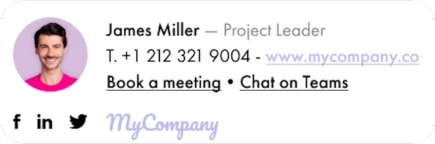
Finally, the cherry on top: the signature adds the finishing touch to your professional email. Did you know that there are different email signature formats? Rather than just adding your name at the end, an automated signature is inserted at the end of all your emails, adding a professional and colorful touch, with all the necessary information about you and your company.
Typically, it includes the following information:

First, a custom professional signature displays your brand identity at the end of every email. And this applies to every team member! Furthermore, your personalized signature provides instant access to all your information and makes it easier for your recipients to contact you.
Additionally, your automated signatures can be accompanied by discreet email campaigns to make your email more professional!
Wondering how to attach a document to your email? It's simple. To add an additional document to your email, you just need to upload it so it appears at the end of the message. This type of attachment doesn't affect the structure of your content and is typically viewed by your recipient. You can always mention it in your message:
[You will find my invoice attached.]
[Please find attached the requested report for your evaluation. Feel free to share any feedback or questions you may have.]
In other cases, you can embed a photo or document directly within the body of the text. In this case, keep the image in a reasonable size so that the reader can view the text that follows it.
A few things to check when adding an attachment:
Now that you know how to write a professional email, here are the last steps to verify before clicking "send." When reviewing your message, you want to make sure you meet all the criteria mentioned above and correct any errors. These email writing skills are essential for effective email communication.
Checklist:
Once these elements are checked, your first professional email draft is ready to take flight!

Here are some professional email writing examples and business email samples to follow when writing your first professional emails.
Subject: Request for Information on Your Services
Dear Mr./Ms. [Recipient's Name],
I am reaching out on behalf of [Your Company] to obtain further information about the services you offer. We are currently seeking a solution in your area of expertise, and would like to learn more about your offerings.
Could you please send me a brochure or detailed documentation about your services, as well as information on your pricing and terms and conditions?
Thank you in advance for your help, and I am available should you have any further questions.
Best regards,
[Your Name] [Your Title] [Your Company] [Your Contact Information]
Subject: Internship Application - Marketing Student
Dear Mr. Martinez,
My name is Laura Davis, and I am currently a second-year Master's student in Marketing at Boston University. I am reaching out today to express my strong interest in doing an internship at your company, ABC Marketing.
I am particularly attracted to your company due to its reputation for innovation and its commitment to excellence in the digital marketing field. Your strategic and creative approach inspires me, and I am confident that an internship at ABC Marketing would allow me to gain valuable experience in this area.
During my studies, I have developed strong skills in market analysis, marketing strategy, and project management. I have also had the opportunity to apply my knowledge during previous internships at XYZ Agency and DEF Corporation. I am convinced that my skills and enthusiasm could be a great asset to your team.
I am available to undertake a full-time internship for 6 months starting next September. I am particularly interested in opportunities to work on projects related to digital marketing and social media.
Thank you for considering my request, and I am available for any additional information. I am looking forward to contributing to ABC Marketing's team and learning from talented professionals like you.
Kind regards,

Subject: Partnership Inquiry - [Your Company Name]
Dear [Company Name] Team,
I hope this email finds you well. My name is [Your Name], and I serve as [Your Title] at [Your Company]. I am writing to explore potential partnership opportunities between our organizations.
[Brief description of your company and the nature of the partnership you're proposing - 2-3 sentences]
I would appreciate the opportunity to discuss this further at your convenience. Would you be available for a brief call next week?
Thank you for your time and consideration. I look forward to hearing from you.
Sincerely,
Would you like to create the ultimate professional email? Use a signature solution tailored to your needs! With customization features and centralized management, Letsignit allows you to create your own signatures in line with your brand identity. Enjoy consistent signatures that ensure your company's credibility with every interaction with clients, colleagues, or partners!









.svg)

.jpg)