



.svg)


You may have this image in mind: a professional slipping a paper business card into the hand of a potential client, wearing a confident smile before checking their pager. A scene straight out of the 1990s… and slightly outdated.
In an era of ever-present screens, the paper format is no longer really the most relevant option for professional cards. Creating your business card is now largely a digital process! Here is how to do it.
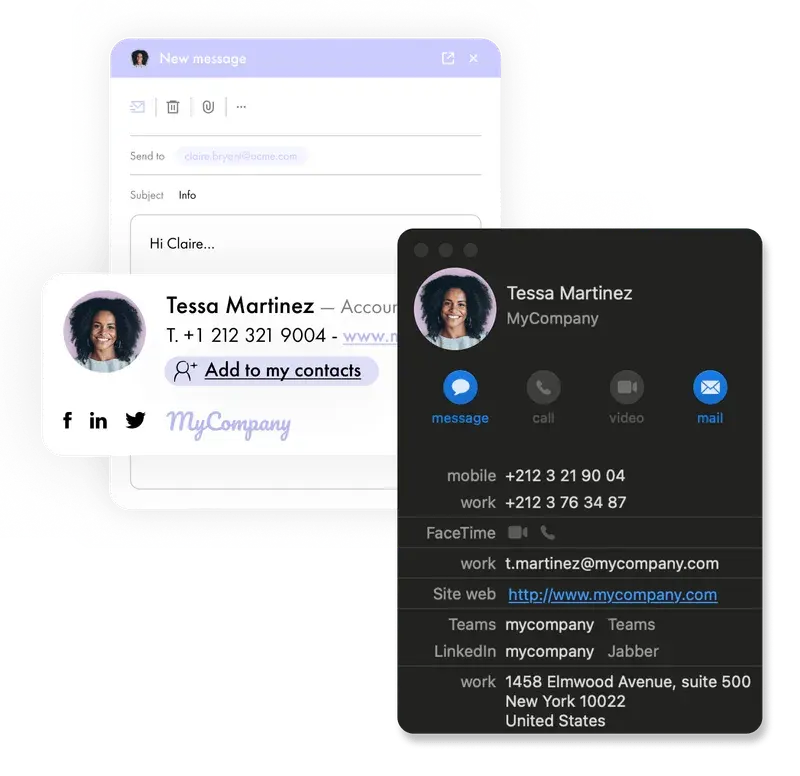
A business card is a professional presentation medium that contains contact details and essential information about someone’s activity.
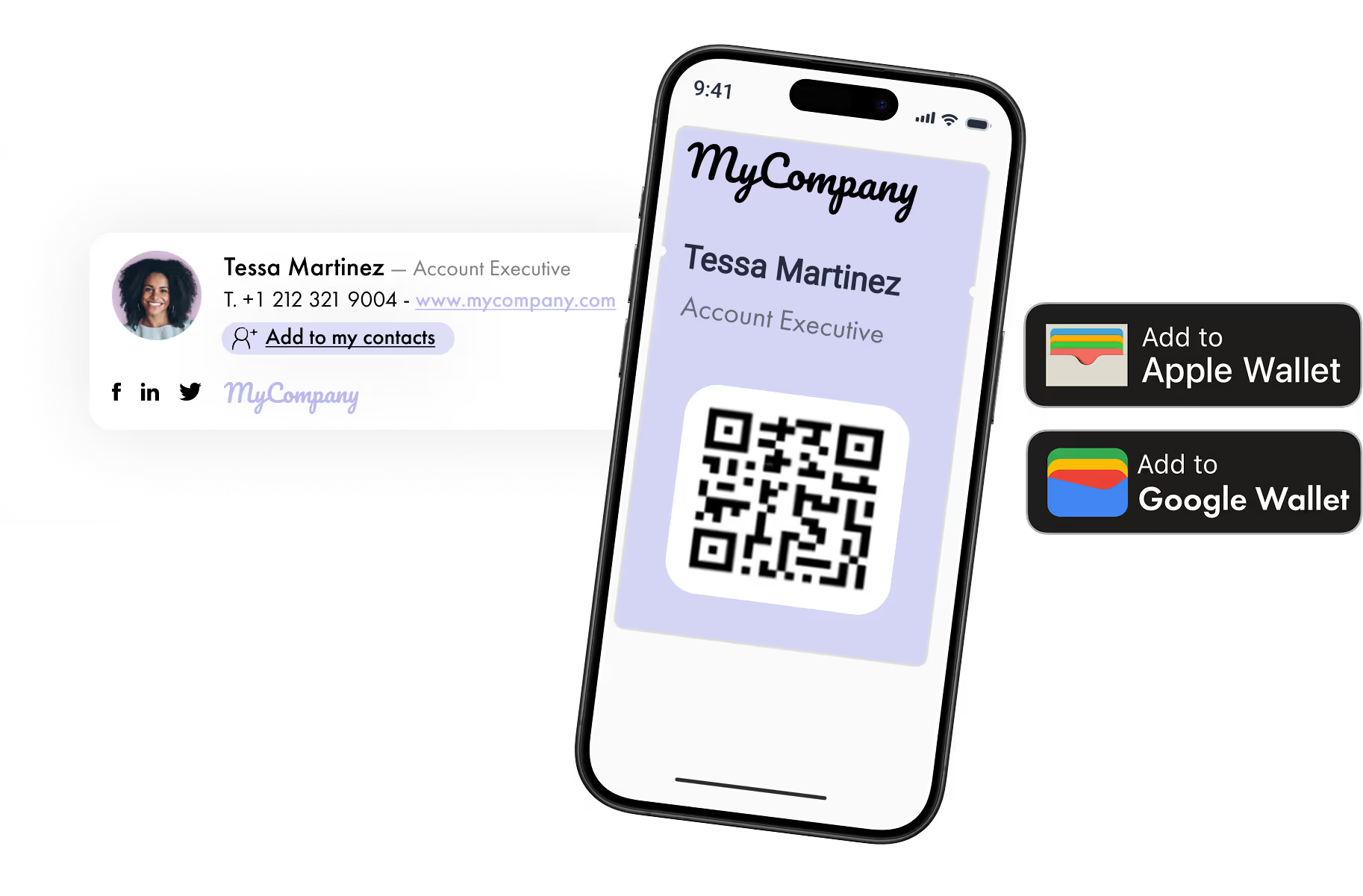
While it traditionally appears in paper format, it is increasingly found in a digital version known as a vCard. This interactive format can include clickable links, shortcuts to social media profiles, or a button for booking meetings. The vCard can easily be shared via email, smartphone, or QR code, and allows you to transmit your professional information in just a moment.
Looking for an intuitive way to design your business card in just a few minutes? The most obvious option is to use a desktop or online graphic design tool. It is a great opportunity to express your creativity, without advanced design skills, while still achieving a high-quality result.
Solutions such as Canva, Adobe Photoshop, Adobe InDesign, or VistaPrint even provide ready-to-customize business card templates. There are plenty of options available to create a card that reflects your brand and fits your industry.
The process for creating your own business card is generally the same:
For companies that want to synchronize their employees’ business cards, the next step is the smart vCard. Solutions like Letsignit allow you not only to design cards but also to manage your team’s different vCards in just one click.
But that’s not all. A vCard can also include:
Good to know: the vCard can be used on its own, but it can also be integrated into a professional email signature for more complete communication.
Another quick and popular way to share your business card is through a QR code. By scanning the code, people can access your contact details in a matter of seconds.
To create your QR code card, you first create your electronic business card with your professional information, then generate a QR code that links directly to your vCard or to a downloadable VCF file.
Once this is done, you can share your QR code on your website, portfolio or social media!
Please forgive our slightly playful tone at the beginning of this article: printed cards are still used and can even be more relevant in certain situations. A formal meeting, an event, or a more traditional industry may still benefit from using printed business cards.
To print your card, you can simply contact a local printer or use a specialized online platform. Whatever option you choose, you will be able to select the dimensions, style, paper type, and more. In short, everything you need to create a professional-quality business card that represents your brand.
Want to create an effective digital business card without spending a cent? It’s possible!
To do this, you can use the graphic design tools mentioned earlier, such as Canva, Adobe Photoshop, or Adobe InDesign, which are among the most comprehensive.
There are also lesser-known but equally effective alternatives, such as the platforms Freepik or Envato.
As you might expect, there is no universal answer to this question. It all depends on your situation and how you want to use your business card:
Did you know your future vCard is literally at your fingertips? Just launch the right app on your smartphone and you’re ready to go.
To create your virtual card on your phone, you can use the mobile version of Canva or Adobe Photoshop:
More advanced solutions, like Letsignit also allow you to use your smart vCard directly on your smartphone. On that note, you can learn how to add your vCard to your mobile wallet.
*****
Creating a professional and memorable business card is the easiest thing in the digital age! That even applies to the most loyal fans of the classic paper format.

Yes, with the 'Campaigns' offer, it is possible to track the number of clicks on the email signatures of all your employees in the 'Statistics' area of the platform.
You can then access a detailed or global view of the number of clicks on the email signatures of each employee. You can use the search option to target a specific signature or a given period. Finally, you have the possibility to export all statistics to an Excel document.
If you launch campaigns with banners inserted in your email signatures, you can also access their performance via this same space.
With Letsignit, you can easily add social network icons in your collaborators' email signatures and link to your company pages. Also, our "attributes" feature allows you to manage personalized URLs for each of your collaborators such as their individual LinkedIn profile.
And that's not all: you can add links to an appointment-setting application, allow your customers to leave reviews easily, and integrate our 'Chat on Teams' widget to let anyone start a discussion via Microsoft Teams chat.
It’s up to you! As an administrator of the Letsignit platform, you choose whether or not to grant modification rights to your employees. These permissions are managed on an attribute-by-attribute basis, which means that you can decide to allow the employee to change their phone number, but not the address of your premises, for example.
This feature applies to all attributes in your directory, including custom attributes created on Letsignit. When your employees change one or more attributes, your directory is obviously not affected.
It often happens that employees make their email signature their own: custom format, bad fonts, colors inconsistent with the brand standards... all of this has an impact on your brand!
A consistent visual identity is considered authentic and outperforms a perceived weak one by 20%. And, your customers are 2.4 times more likely to buy your products.
With Letsignit, take back control over your brand identity by standardizing all your email signatures. Our tool has many features that allow you to customize your signatures by department, by audience or by subsidiary. Not to mention the possibility of carrying out campaigns within your email signatures thanks to our Campaign offer.
What is the user experience like for our employees?
In both cases:
In short, they have autonomy in their email signature, but you keep control on the field, signatures, and banners they can edit or use.
With our "multi-signature" feature, your employees can benefit from multiple email signatures. No technical manipulation is required. Thanks to our Add-in for Outlook or the desktop app, they can change their email signatures as they wish with just a few clicks.
Regarding the creation of email signatures, you can make several variations such as:
Everything has been thought of to go further in the personalization process based on the recipient of your emails.
If sending emails has an impact, non-optimized email signatures also have an impact. An unsuitable format or an image that is too heavy considerably increases the size of your signatures... and therefore, your emails.
As a responsible economic actor, we contribute to reducing our CO2 emissions and those of our customers in several ways:
As we are increasingly involved in sustainability initiatives, our priority in 2023 is to develop even more green IT functionality.
If sending emails has an impact, non-optimized email signatures also have an impact. An unsuitable format or an image that is too heavy considerably increases the size of your signatures... and therefore, your emails.
As a responsible economic actor, we contribute to reducing our CO2 emissions and those of our customers in several ways:
As we are increasingly involved in sustainability initiatives, our priority in 2023 is to develop even more green IT functionality.


Lorem ipsum dolor sit amet, consectetur adipiscing elit, sed do eiusmod tempor incididunt ut labore et dolore magna aliqua. Ut enim ad minim veniam, quis nostrud exercitation ullamco laboris nisi ut aliquip ex ea commodo consequat. Duis aute irure dolor in reprehenderit in voluptate velit esse cillum dolore eu fugiat nulla pariatur.


