.svg)


You use it every day, several times a day, often without even realizing it… And yet, it is your most fundamental communication tool. We are, of course, talking about your professional email address!
At first glance, it may seem insignificant, but your email address is actually crucial when it comes to establishing a relationship of trust with your contacts, as well as improving your company’s credibility. It is therefore essential to choose it carefully, favoring conciseness and transparency, but not only that…
Here is our complete guide to designing an effective email address, along with examples of professional email addresses to help you find the one that truly reflects your identity.

A professional email address is an email address used specifically for work or business purposes. It allows people to easily identify and contact a professional.
Are you looking for general ideas for professional email addresses, for example for different departments within your organization? Look no further: here are several examples of simple, effective, and widely used business email addresses.
These addresses should be accessible and modern to enable smooth initial contact:
This type of address is perfectly suited to organizations that want to modernize their image.
Do you want to make a strong impression from your very first interactions? Make sure to also use the right email etiquette and formal expression in your messages.
This type of address is very common and allows you to immediately identify a specific person within a company:
These formats are preferred to humanize external communication, as well as for direct or more personal exchanges.
These more general addresses make it possible to contact an entire department, role, or team within the company:
They are used to centralize requests and communications, and to avoid relying on a single individual.
Do you want to include all relevant stakeholders in a conversation? Make sure you know how to properly use the Cc and Bcc fields in your emails.
These addresses are dedicated to sending automated communications or handling specific actions:
These addresses are generally used for short, technical communications that do not require a reply, such as order confirmations, invoices, notifications, and similar messages.
These are associated with strategic or decision-making roles within the company:
These addresses are used for official communications or more specific external contacts, such as media representatives or business partners.
Certain email address formats are more suitable for specific types of activities. Here is a selection of examples tailored to different roles.
If you work as a freelancer or independent professional, you already know how important it is to create a sense of proximity by highlighting either your name or your brand:
These addresses should reflect the expertise of the consultant or their firm in order to reassure recipients:
These email addresses tend to favor an accessible tone that focuses on client relationships:
E-commerce email addresses are designed to make the customer journey smoother and to handle different types of requests efficiently:
Startups stand out through their dynamic, innovative, and accessible approach. Their communication, and therefore their professional email addresses, should reflect this positioning:
Your email address is the very first piece of information about you that reaches your recipient. A simple glance can be enough to inspire trust. Or, on the contrary, to discourage them from even opening your message.
Beyond this immediate effect, communicating with a well-chosen email address contributes to a positive brand image and even helps protect your information. Here is why it is so important to choose your professional email address carefully.
Have you ever received an email from someone using an address like “very.serious.email.promise@gmail.com” or “ilovecheese@gmail.com”? We certainly hope not… But if you have, you probably sent that message straight to the trash.
A well-crafted professional email address is essential for building trust with your recipient. It shows that you are identifiable, reachable, and above all, that you are a legitimate professional.
These are essential qualities in a context where phishing, fraud attempts, and identity theft are becoming increasingly common. A well-structured professional email address increases the chances that your message will actually be opened.
Successful communication is not based on trust alone. Trust is only a prerequisite.
Your communication must also reflect seriousness and professionalism. An effective professional email address immediately signals to your recipient that you are connected to a structured and established organization. For this, nothing works better than a clear, well-constructed email address with a custom domain name.
In an increasingly competitive professional environment, where email is one of the number one marketing channels, standing out with a strong professional email address is essential. After all, even the smallest detail can influence a decision, including something as simple as a username or a recognizable domain name.
This is often an underestimated aspect, yet email deliverability plays a central role in your communication. As a reminder, this term refers to the ability of your emails to reach their destination. That is, your recipient’s inbox.
The sender’s email address directly impacts deliverability. An address that appears unusual or suspicious may raise concerns for email providers, causing your message to be instantly redirected to the spam folder.
To avoid this scenario, you must use a professional, clean, and domain-based email address that is clearly identifiable. This also involves proper technical management, including authentication protocols such as SPF, DKIM, and DMARC, which promote secure, consistent, and reliable communication.
Additionally, it is worth noting that you can test whether your emails are likely to reach their destination. You can test an email address by following a few simple steps.
Beyond trust and credibility, an effective professional email address contributes to a positive brand image. After all, every email you send is an opportunity to reinforce your identity.
A professional email address that is consistent with the rest of your company, both in terms of brand name and team coordination, creates a cohesive experience for your audience. This helps people remember your name, strengthens your visibility, and allows you to stand out from competitors.
Over time, this consistency reinforces your brand image and provides a smooth, seamless experience. In other words, your audience remembers you as an efficient and reliable brand and integrates you more naturally into their daily interactions.
However, keep in mind that a professional email address is only the foundation of a strong brand image. To truly stand out, you should also follow proper email etiquette in all your communications.
Finally, a well-designed professional email address is part of a broader approach to security and data control.
First, this involves choosing the right provider. A professional email service typically offers centralized management of multiple email accounts as well as enhanced data protection.
You also retain full control over your addresses thanks to a custom domain name. This allows you to modify accounts without relying on external services, reducing the risks of data leaks or hacking.

Now that you understand why a professional email address matters, let’s focus on how to create one. Here are five best practices to help you design an email address that inspires trust and encourages recipients to open all your communications. Yes, even your newsletter about “30 ways to do a cartwheel”!
As mentioned earlier, your email address is one of the first elements your recipient sees. It should therefore be simple, clear, and easy to remember.
An address that is too long or too complex may slow down communication, especially when shared verbally or typed quickly. An ambiguous address, on the other hand, can create confusion about the sender’s identity, which is far from ideal for productive exchanges.
To reassure your recipient and allow them to identify you quickly, aim for conciseness. An address that includes your name and/or first name, along with a custom domain, will work perfectly.
Your domain name connects your professional email address to a clearly identifiable organization. A well-chosen domain allows your audience to immediately understand who they are dealing with.
And when something is identifiable, it is also perceived as reliable. By using a custom domain rather than a generic one provided by a free service, you convey seriousness and professionalism. Your recipient can see that your communication is part of a structured approach tied to a trustworthy organization.
A custom domain used across an entire company also strengthens the impact of your communication. Your website, emails, and other communication channels all convey the same image and story. This makes it easier for your audience to recognize you and trust you.
To choose the right domain name, simply opt for one that reflects your company name. Ideally, select a domain from a well-known and secure provider.
If you prefer to stick with a free option, it is still possible to create a professional email address using Gmail, although it will include a generic domain.
Perhaps you have always considered the number “7” to be your lucky number, and you feel tempted to include it in your email address… That might seem like a good idea—but in reality, it is not.
Unnecessary special characters—whether numbers, hyphens, or other additions—can negatively impact readability and may even raise suspicion.
This can affect both email providers, which might flag your messages as spam, and recipients, who may perceive the address as imprecise or unprofessional.
Only use special characters when absolutely necessary, for example to separate a first name and last name. Even then, it is best to use a simple dot, which looks cleaner and more professional.
Adaptability is essential in a constantly changing world, and this also applies to something as seemingly simple as a professional email address.
Your email structure should not only meet your current needs but also anticipate future developments. As your company evolves, through team changes or departmental reorganization, your email system must be able to adapt quickly.
At a company level, your email structure should be flexible and general enough to incorporate new information easily, such as adding new employees’ names.
It is therefore better to organize email addresses by department rather than by temporary projects, and to plan scalable variations linked to a stable main address (for example: contact@company.com).
And to ensure effective record-keeping as your company evolves, do not forget to properly save your emails.
Your professional email address is not just a point of contact. It also structures your communication and helps secure it.
To ensure your messages are reliable and secure, your professional email address should combine the following elements:
A reliable email provider that protects both your data and that of your recipients.
A custom and identifiable domain that guarantees your emails genuinely come from your organization and reinforces your credibility.
A username that lets people know who they are talking to, for example including first or last name.
Proper technical practices, including email authentication (SPF, DKIM, DMARC) and secure password management, to ensure your emails reach their destination.
By applying these principles, your professional email address will support secure, consistent, and long-lasting communication with your audience.

Now that you know the best practices for creating an effective and truly professional email address, here are the mistakes you should avoid if you want to reassure your recipients and capture their attention.
When starting a business, it may seem more convenient to use a personal email address for initial communications. We'll say it plainly: this is a bad idea, for several reasons.
An address such as "firstname.lastname@outlook.com" does not inspire the same level of trust as one with a professional domain. Instead, it may give the impression that your activity is not fully structured or established. The result? Lower credibility, a weaker professional image, and fewer responses. On that note, to stay persuasive in all your communications, here’s how to write a professional email that really hits the mark.
Furthermore, using your personal email account for your professional communications puts you at risk of missing some important messages in your crowded inbox, for example from clients or potential employers!
This issue is more common in larger organizations. In an effort to be precise, companies sometimes end up with multiple email formats across employees or departments.
For example, the same company might use firstname@company.com, lastname.firstname@company.com, and contact@company.com simultaneously.
This inconsistency can create confusion internally and project a less structured brand image externally. Your contacts may lose their bearings or even feel like they are communicating with different companies.
Wanting to connect with your audience is a good thing, but overdoing it can have the opposite effect.
An email address that feels too promotional or overly “marketing-driven” may discourage recipients. For example, addresses like exclusive.promo@company.com can appear suspicious or overly sales-focused.
Such addresses can negatively impact open rates, reduce engagement, and even trigger spam filters.
Like guards standing atop a fortress, email filters are constantly scanning for suspicious messages. This includes not only the content of the email but also the sender’s address.
Ignoring these filters when creating your professional email address can significantly harm your communication. A suspicious address may result in emails being sent directly to spam, or blocked entirely.
To ensure your emails pass these filters successfully, you need to pay attention not only to your email address but also to the content of your messages. Need a helping hand? Here are a few examples of professional emails that hit their target every time.
Have you ever received emails from addresses that seemed… mysterious? For example, those containing cryptic acronyms or names that are difficult to pronounce?
These types of addresses present several issues. They are more prone to typing errors, which directly affects communication. They can also create confusion about the role or purpose of the address, leaving recipients unsure of who they are dealing with. Finally, they are less memorable, which negatively impacts the sender’s brand image.

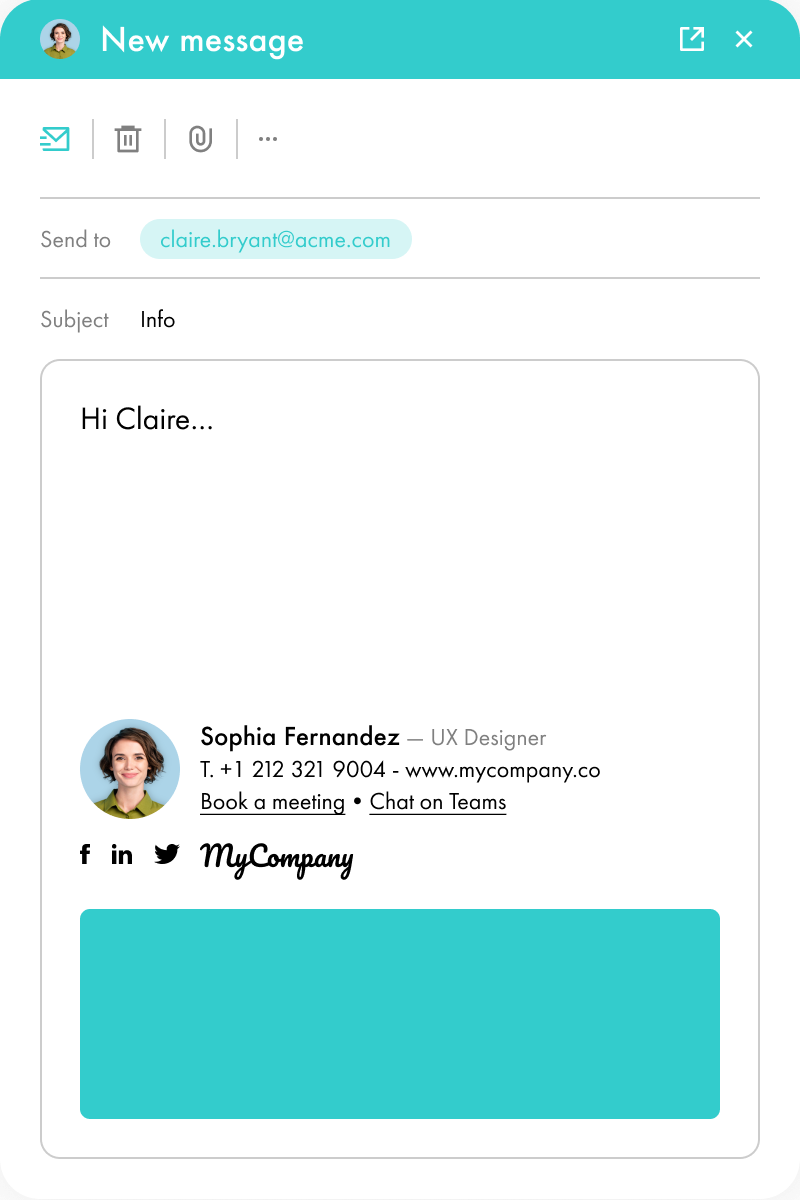
Once your professional email address has been created, it needs a proper framework to highlight it effectively. This is where the professional email signature comes into play.
An email signature includes your email address and other essential information, such as your name, job title, and phone number. But it can also incorporate elements designed to increase engagement, such as dynamic links or appointment booking buttons.
With an email signature, you can:
Share essential information, including your professional email address
Strengthen your credibility
Enhance your brand image
So, for your professional communication, do not stop at your email address: create a truly dynamic interface with a well-designed email signature.
*****
A professional email address is much more than just a communication tool. It is a cornerstone of your brand image and a guarantee of trust for your audience.
We hope these examples of professional email addresses have inspired you. In any case, take the time to think it through carefully, just as you would when choosing your brand name or designing your logo.

Yes, with the 'Campaigns' offer, it is possible to track the number of clicks on the email signatures of all your employees in the 'Statistics' area of the platform.
You can then access a detailed or global view of the number of clicks on the email signatures of each employee. You can use the search option to target a specific signature or a given period. Finally, you have the possibility to export all statistics to an Excel document.
If you launch campaigns with banners inserted in your email signatures, you can also access their performance via this same space.
With Letsignit, you can easily add social network icons in your collaborators' email signatures and link to your company pages. Also, our "attributes" feature allows you to manage personalized URLs for each of your collaborators such as their individual LinkedIn profile.
And that's not all: you can add links to an appointment-setting application, allow your customers to leave reviews easily, and integrate our 'Chat on Teams' widget to let anyone start a discussion via Microsoft Teams chat.
It’s up to you! As an administrator of the Letsignit platform, you choose whether or not to grant modification rights to your employees. These permissions are managed on an attribute-by-attribute basis, which means that you can decide to allow the employee to change their phone number, but not the address of your premises, for example.
This feature applies to all attributes in your directory, including custom attributes created on Letsignit. When your employees change one or more attributes, your directory is obviously not affected.
It often happens that employees make their email signature their own: custom format, bad fonts, colors inconsistent with the brand standards... all of this has an impact on your brand!
A consistent visual identity is considered authentic and outperforms a perceived weak one by 20%. And, your customers are 2.4 times more likely to buy your products.
With Letsignit, take back control over your brand identity by standardizing all your email signatures. Our tool has many features that allow you to customize your signatures by department, by audience or by subsidiary. Not to mention the possibility of carrying out campaigns within your email signatures thanks to our Campaign offer.
What is the user experience like for our employees?
In both cases:
In short, they have autonomy in their email signature, but you keep control on the field, signatures, and banners they can edit or use.
With our "multi-signature" feature, your employees can benefit from multiple email signatures. No technical manipulation is required. Thanks to our Add-in for Outlook or the desktop app, they can change their email signatures as they wish with just a few clicks.
Regarding the creation of email signatures, you can make several variations such as:
Everything has been thought of to go further in the personalization process based on the recipient of your emails.
If sending emails has an impact, non-optimized email signatures also have an impact. An unsuitable format or an image that is too heavy considerably increases the size of your signatures... and therefore, your emails.
As a responsible economic actor, we contribute to reducing our CO2 emissions and those of our customers in several ways:
As we are increasingly involved in sustainability initiatives, our priority in 2023 is to develop even more green IT functionality.
If sending emails has an impact, non-optimized email signatures also have an impact. An unsuitable format or an image that is too heavy considerably increases the size of your signatures... and therefore, your emails.
As a responsible economic actor, we contribute to reducing our CO2 emissions and those of our customers in several ways:
As we are increasingly involved in sustainability initiatives, our priority in 2023 is to develop even more green IT functionality.
An effective professional email address is a combination of several key elements: clarity and transparency to avoid confusion, accessibility to encourage engagement, consistency to strengthen brand image, and security to ensure safe communication. A custom domain name is also strongly recommended to enhance credibility and professionalism. Your username can include your first and/or last name or your initials.
Looking for inspiration? You can simply draw ideas from the formats commonly used in your industry. You can also use domain name generators to help you create a personalized address.
You do not actually purchase the email address itself, but rather the domain name. If you want a personalized email address, you will need to invest a small amount in your own domain. This cost is usually low, but the benefits, especially for your brand image, are significant.
Most email providers allow you to create a free email account. If a generic domain such as @outlook.com or @gmail.com suits your needs, you can use these services for your professional email.
To create a professional (custom domain) email address using Gmail, you need to go through Google Workspace:
With Outlook, creating a professional email address generally requires using Microsoft 365:
Once your email address is set up, you can take things further by scheduling your emails directly within Outlook.


Lorem ipsum dolor sit amet, consectetur adipiscing elit, sed do eiusmod tempor incididunt ut labore et dolore magna aliqua. Ut enim ad minim veniam, quis nostrud exercitation ullamco laboris nisi ut aliquip ex ea commodo consequat. Duis aute irure dolor in reprehenderit in voluptate velit esse cillum dolore eu fugiat nulla pariatur.