.svg)


Human beings are creatures of habit: we constantly seek stability in every area of our lives. This is especially true in a professional context, where the stakes can be high.
A well-thought-out change management strategy can make all the difference in helping teams adapt to new processes and technologies. It makes change more digestible and facilitates the rapid integration of new practices. On the other hand, without proper guidance, any new strategy may face potential resistance from employees.
Let’s explore how the best practices for implementing effective change management and successfully engage your entire team!

Do you remember the time your grandfather decided to get a smartphone? Chances are, you spent several hours explaining how it worked. You may even have provided follow-up support over the phone, giving him step-by-step instructions to help him get comfortable with this new technology.
Whether you are 5, 30, or 80 years old, any significant change requires time to adjust—both cognitively and emotionally. A change management strategy exists to support people through these transitions and ensures:
Whether it’s integrating new employees, updating a technological tool, or evolving the organization’s vision and values, changes can affect many aspects of a business. Understanding the types of change is essential to approach them effectively.
We can identify four types of strategic change: structural, technological, cultural, and repositioning. Let’s explore each in detail.
Structural changes affect the organization of the company.
They may involve employees, such as team reorganization or the arrival/departure of key personnel. A new governance model also qualifies as a structural change. By extension, major operations like mergers or acquisitions fall under this category.
New structures require strategies focused on communication and role clarification to minimize confusion and uncertainty.
Technological change encompasses all updates to the tools and systems used within the organization.
Introducing new features, software, information systems, or technologies requires careful management to ensure team adoption. Strategies often include training sessions or online tutorials to accelerate the process.
Cultural change is deeper, involving shifts in company values, vision, and practices.
A company may encourage new ways of collaborating, implement new workflows, or adjust internal communication to make it more inclusive.
Such profound change requires a long-term approach. Managers play a critical role here: by embodying new values and practices, they inspire teams and foster lasting behavioral change.
Repositioning involves redefining the company’s vision and objectives, usually in response to external developments, such as market changes or regulatory shifts.
It may involve entering a new market, adjusting financial goals, or reviewing the product/service offering.
Repositioning affects people's work and must be handled with method and care. Transparency is crucial, both in explaining why the organizational change is occurring and what it means concretely for the team.

A change management strategy can be compared to a three-legged stool: its stability relies on three supports: communication, support, and engagement.
Sometimes, management announces organizational changes without explaining the strategic reasons behind them. As a result, teams may perceive the change as a punishment, a cost-cutting measure, or a loss of autonomy.
Effective communication in change management goes beyond simply sharing information: it gives context and meaning.
Communicating about a company transformation involves:
Communication alone is not enough; actions to support employees are essential. Support ensures that teams acquire the knowledge and skills needed to adopt new practices or tools.
Support can take many forms:
This stage has a dual purpose: reducing the learning curve during the transition and reinforcing employees’ sense of competence. The more confident teams feel in applying new methods, the more likely they are to embrace change sustainably.
Tip: To maximize engagement with training programs, include strong CTAs in email signatures to encourage participation.
For teams to fully and sustainably embrace a change or new organizational structure, the strategy must go beyond communication and training. Your employees need to feel like active participants in the transformation.
To foster engagement, ensure that teams:
Change co-created with employees is far more likely to be sustainable. Managers and leadership are critical here: by embodying the change, reinforcing messages, and gathering feedback, they support lasting adoption.

Change management, unlike the excuses you give friends for being late to brunch, cannot be improvised! Every new initiative requires a strategic, step-by-step approach. Seven steps, to be exact.
To ensure the change is successful, you first need to understand the context.
A solid grasp of company culture—values, habits, and work practices—allows you to tailor new methods to the reality of the organization. Awareness of teams’ readiness for change helps adjust the pace appropriately.
Additionally, understanding strategic objectives ensures that actions are prioritized and resources allocated effectively.
Once you understand the starting point, define where you are headed. Clear objectives clarify:
Clear goals provide direction, create transparency, and give employees a sense of purpose.
Change impacts everyone in the company, not just management or HR.
Identify all key stakeholders: steering committees, affected teams, and managers or leadership. Some employees or leaders may even serve as change ambassadors due to their influence or position. Involving them early can be highly beneficial.
As mentioned, clear and frequent communication is critical. A communication plan should outline:
Tip: A multichannel approach ensures maximum touchpoints and agile communication.
Once the change is underway, continuous support is essential.
Support can include workshops, training, and online tutorials. It helps employees feel competent, legitimate, and independent in adapting to new practices.
Tip: Use dynamic email banners linking directly to training sessions or resources to facilitate participation.
Have you heard of the “grief curve” described by psychiatrist Elisabeth Kübler-Ross? It outlines psychological stages individuals go through when facing loss: denial, anger, depression, acceptance, and serenity.
Understanding cognitive and emotional factors of resistance allows you to remove obstacles and adjust your strategy. Maintaining dialogue through active listening and constructive responses helps ease resistance.
Once change is implemented, it must be sustained. The goal is to prevent teams from reverting to old habits and to ensure new practices become the norm.
This requires:

There is no single way to manage change. Numerous approaches exist to implement new practices sustainably within a company. Three change management models are particularly popular: Kurt Lewin’s model, the ADKAR model, and Kotter’s method.
Developed in the 1940s, Kurt Lewin’s model remains widely used today. It consists of three phases: unfreeze, change, and refreeze.
This linear model works particularly well for structured, planned changes where each step can be anticipated.
The ADKAR model focuses on the individual, emphasizing the psychological aspects of change. It identifies five key conditions necessary for successful adoption:
ADKAR is particularly effective for supporting teams in adapting their day-to-day practices and addressing specific obstacles at the individual level.
John Kotter’s approach divides organizational change into eight steps designed to create a collective, sustainable movement. Key stages include:
Kotter’s method emphasizes the leadership role of leaders and executives in driving the change, ensuring that large-scale transformations are successfully executed and maintained.
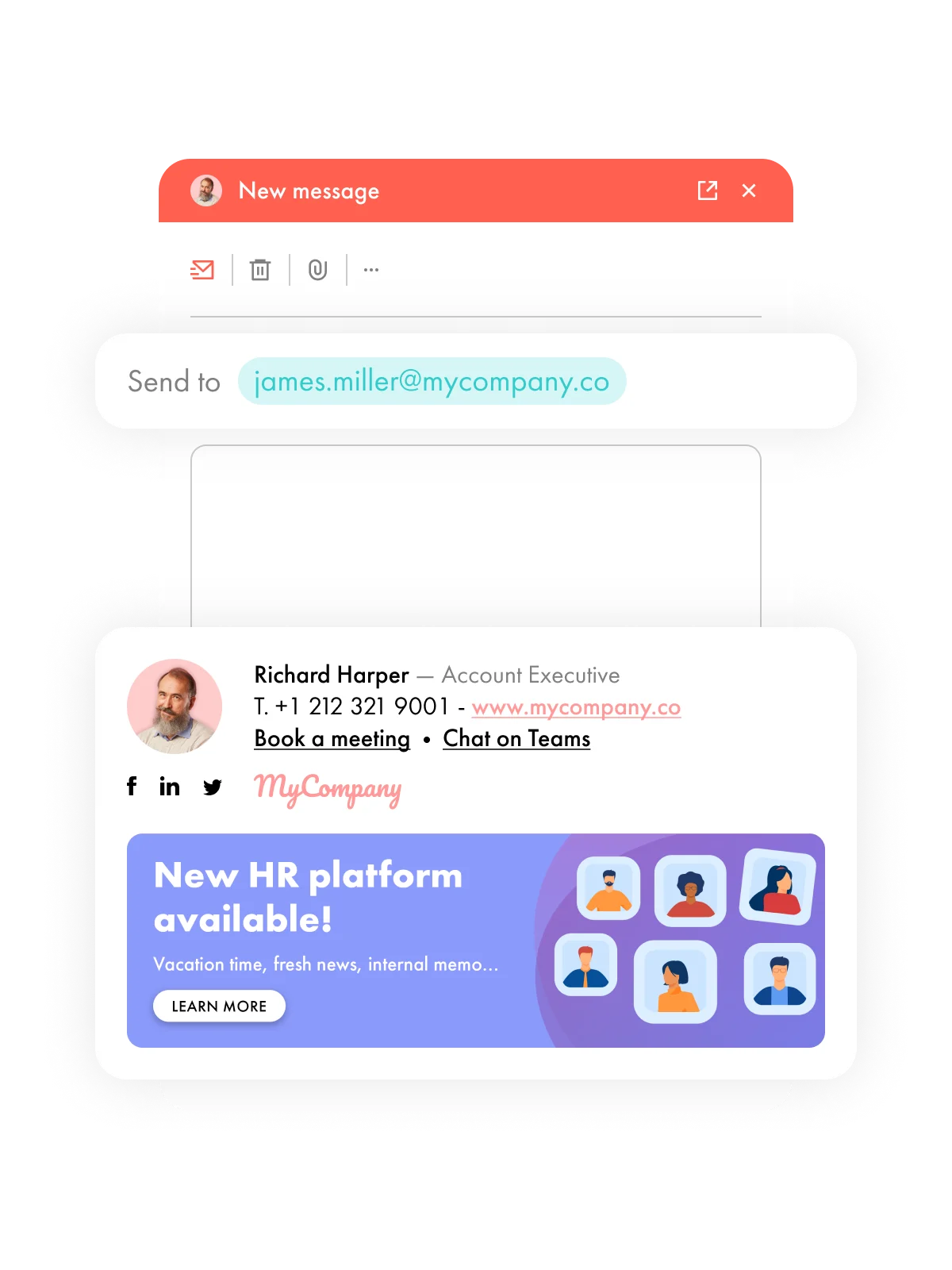
In a change management strategy, every touchpoint matters. Too often underestimated, email signatures are in fact a particularly powerful internal and external communication channel.
Used daily by all employees, they enable continuous, consistent, and non-intrusive message distribution. Unlike more occasional channels, they are directly embedded in professional communications and ensure maximum visibility of key information.
Integrating email signatures into a change management strategy primarily strengthens communication around the transformation. They can notably help to:

In 2024, MEDIAPOST chose to add an “E” to its name to align more closely with the La Poste group it belongs to. This name change triggered a rebranding process that had the potential to push many employees out of their comfort zones. They had to adapt to a new logo, a new visual identity, as well as a new way of selling.
Considering that some employees had been with the company for 20 or even over 25 years, this change represented a significant shift for them.
Strategy: To support this transition, numerous internal communication initiatives were implemented by the communication and marketing teams. Newsletters were distributed, visual content (photos and videos) was shared, and conferences as well as internal events were organized.
In addition, email signature campaigns were deployed to widely relay key messages. The objective was twofold: to explain the reasons behind the change, highlight its ambitions, particularly the alignment with the La Poste group, and provide all the necessary resources to facilitate the transition.
Messages related to this transformation were so widely communicated that it was difficult for employees not to be aware of them.
Result: The transition was smooth thanks to clear and consistent communication, enabling employees to understand the challenges and quickly adopt the new standards. This approach helped reduce resistance and ensured fast and lasting adoption of the change.

To support the rollout of the Letsignit solution, Edenred France implemented a structured change management strategy. The company was moving from internally managed email signatures, handled by IT and marketing teams, to an automated solution via a dedicated add-in. This represented both technological and organizational change, directly impacting daily practices.
Strategy: To facilitate this transition, several actions were implemented. A global webinar was first organized by Letsignit for managers to set the context, explain the objectives, and present the solution in detail.
Step-by-step demonstrations made the tool more tangible and accessible, while user guides were distributed to all employees to encourage autonomy.
At the same time, a support system was established with dedicated teams on both the Letsignit and Edenred France sides to answer questions and address any concerns throughout the rollout.
Result: This approach, combining communication, support, and continuous assistance, led to an excellent adoption rate of the solution and a very high level of user satisfaction.

Change management encompasses all actions designed to guide and support structural, technological, cultural, or strategic shifts within a company.
The five C’s of change management are:
A wide range of tools exists to facilitate smooth, sustainable change. Examples include:
Yes, numerous programs exist to train employees and managers in change management practices. These programs often vary depending on the target audience and organizational needs.
One example is the change management certification program offered by Prosci. One of the most recognized training programs worldwide, it focuses on the ADKAR model mentioned in this article.
Other popular programs include the ACMP’s Certified Change Management Professional (CCMP) program and CMI’s Change Management courses in the UK and internationally.