ChatGPT at your service for email signatures: the complete guide!
By
Guillaume De la Sablonnière
Content Factory Manager
If you're in the communications industry, it's highly likely that you've already used ChatGPT to carry out numerous tasks.
After all, who hasn't used it to write a reply email to a contact, come up with amazing concept ideas, or send the best Christmas message to their grandmother?
But did you know that ChatGPT can also help you create your email signatures ?
Well, yes! And here's how!
ChatGPT as an Intelligent Signature Generator
The AI's Capabilities for Creating Signatures
Since its creation, ChatGPT has ingested a wealth of information on nearly every topic. When it comes to email signatures, it has learned a great deal thanks to the high-quality content produced by experts in the field.
Ahem!
Thanks to this, ChatGPT now has an excellent understanding of the essential elements that should be included in an email signature. The tool can guide you in your creation, offer improvement suggestions, or even generate your HTML signature for you.
The Fundamental Elements of an Email Signature
Every email signature must include certain fundamental elements. And these fundamental elements, ChatGPT knows very well. That's why it can—if you ask it—tell you which elements to include in your signature, or build your email signature from A to Z, making sure nothing is left out.
The basic ingredients of an awesome email signature:
Your full name;
Your job title;
Your company name;
Your contact details (phone, email);
Links to your professional profiles (LinkedIn, website).
The chatbot understands the visual codes of different industries. It can therefore make recommendations based on your job or the field in which you work.
Its analytical capabilities may also lead it to automatically suggest font choices, colors, and layouts that match your brand image.
Based on these capabilities, we decided at Letsignit to create our own AI Assistant, directly integrated into our product. This allows our customers to receive suggestions for improving the signatures and banners they've created.
A Time Saver and Greater Accuracy
Unless you use an email signature management solution, creating a signature for yourself and all your colleagues can be very time-consuming.
ChatGPT can, therefore, be a great alternative to save time. Creating multiple signatures for groups of colleagues or departments can be accelerated using the tool.
Moreover, by using artificial intelligence, you can significantly reduce errors in contact details or graphical inconsistencies among colleagues.
How to Create a Signature with ChatGPT
Essential Commands to Use
To fully leverage ChatGPT’s potential in creating email signatures, start with a clear instruction.
For example: "Generate a professional email signature for {your name} {your position}".
But if you want a more detailed signature, know that the more you feed the AI, the better it will be able to offer a signature tailored to your needs. Maximize the relevance of the results by adding details about your industry and the desired style.
For example, you can tell it: "Create a minimalist signature tailored for the banking sector with social media integration and colors that match this website {your website URL}".
But don't throw your computer out the window if things don't work perfectly on the first try (I know, I have a friend who tried that solution, and it didn't solve his problem). Even though we're less accustomed to getting non-instant results, the real secret to a successful signature lies in gradual refinement.
For example, after getting the first version of your signature, ask ChatGPT to adjust specific elements: "Change the font for better readability on mobile" or "Add a communication banner below the signature with a call-to-action for our upcoming webinar".
This iterative approach ensures a signature that, over time, will be much more aligned with your goals.
Choosing the Right Format
For it to be readable and display properly, your signature should be a maximum of 600-700 pixels wide.
At Letsignit, we recommend a signature format of 400 pixels wide by 150 pixels high. This prevents it from becoming aesthetically unpleasing or displaying incorrectly on certain devices/software.
We also recommend a 1.5 line spacing to improve readability and a 10-pixel margin around elements to avoid a cluttered look.
Since ChatGPT is mostly good at text, it's likely you'll need several iterations to get the desired result.
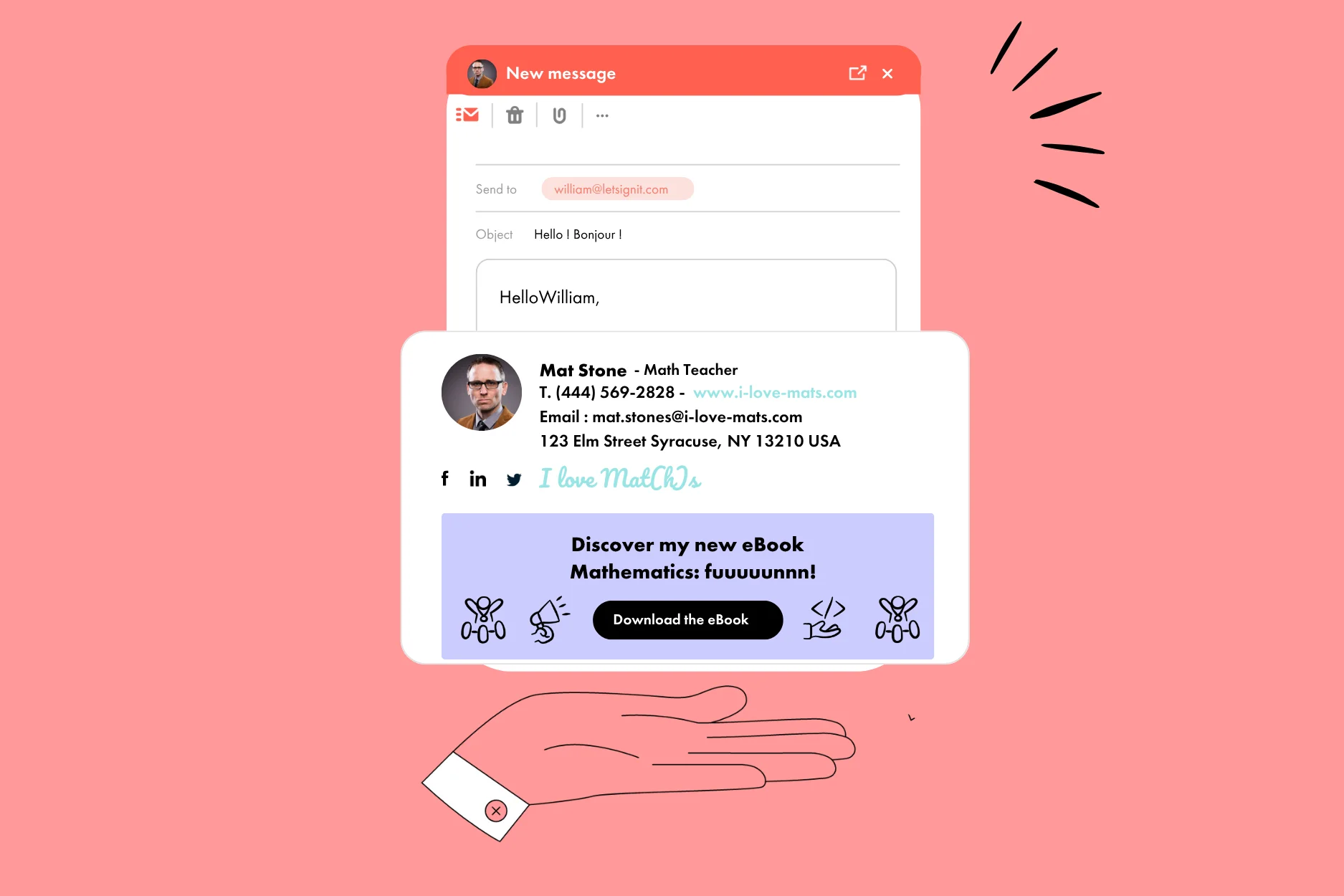
The arrangement of visual elements usually follows a clear structure: the logo on the left, your contact details in the center, and your social media icons aligned to the right or at the bottom.
Colors also deserve special attention. ChatGPT usually has good taste, but sometimes it may get carried away with its artistic impulses. So make sure to adopt a palette limited to 2-3 shades (in line with your branding). And of course, readability comes first! Use a clean font like Arial or Helvetica, size 11-12 points, which can be read both on desktop and mobile.
Integrating Professional Contact Details
To ensure that all important information is included in the signature generated by ChatGPT, remind it to use a structure with distinct blocks:
Identity block: which includes your name and job title in bold;
Contact block: with your phone number and email (both clickable);
Social block: icons where you can insert links to the social media platforms where you have the most influence;
Communication block: space for adding a communication banner to share news, event invitations, marketing messages, etc.
And if you want to enhance your credibility, consider adding relevant certifications or accreditations. A URL to your portfolio or LinkedIn profile can also highlight your expertise to your recipients.
Practical tip: Create versions of your signatures tailored to your contacts. A complete signature for new contacts, a lighter version for daily exchanges, or why not, a banner adapted to the content of your email.
Creating multiple signatures is, of course, additional work, but this is where ChatGPT shines. Once you feel it has understood the style of signature you want to create, just ask it to make multiple variations!
ChatGPT Writer and Email Signature: Some Best Practices
Consistency Between Signature and Content
Ideally, a professional signature should extend the message of your email. To create this harmony and logic, ask ChatGPT to adapt your communication banner to the overall tone of your message. A formal email will have more impact with a simple signature, while a marketing newsletter will benefit from a more dynamic signature.
For example, a signature highlighting your environmental certifications will strengthen the credibility of a message about your sustainable commitments. Similarly, a multilingual signature is relevant for international communications.
Finding the Right Signature Style
1. Minimalist
Features: Clean design, few colors, simple typography, only essential information.
Benefits:
Professional and elegant.
Easy to read on all devices.
Suitable for any industry.
2. Colorful
Caractéristiques : Utilisation de couleurs vives ou en accord avec la charte graphique de l’entreprise.
Avantages :
Attire l’attention et renforce l’identité visuelle.
Idéal pour les entreprises créatives ou les start-ups.
Permet de mettre en valeur certains éléments (ex. : CTA ou numéro de téléphone).
3. With Personal Photo
Caractéristiques : Intégration d’une photo professionnelle de l’expéditeur.
Avantages :
Humanise les échanges et inspire confiance.
Utile pour les métiers nécessitant un contact direct (commerciaux, RH, etc.).
Permet une meilleure mémorisation de l’expéditeur.
4. With Logo and Branding
Caractéristiques : Mise en avant du logo de l’entreprise, des couleurs et des polices de la charte graphique.
Avantages :
Renforce la crédibilité de l’entreprise.
Professionnalise les échanges.
Contribue à la cohérence de la marque.
5. Interactive Signature
Caractéristiques : Intégration de liens cliquables (site web, réseaux sociaux, prise de rendez-vous, etc.).
Avantages :
Facilite l’accès aux ressources importantes.
Augmente le trafic vers les plateformes de l’entreprise.
Encourage l’engagement avec les destinataires.
6. Signature with Slogan or Mission
Caractéristiques : Inclusion d’une phrase courte représentant les valeurs ou la mission de l’entreprise.
Avantages :
Marque l’esprit des destinataires.
Communique les valeurs de manière subtile.
Ajoute une touche inspirante ou motivante.
7. Dynamic Signature (with GIF or Banner)
Caractéristiques : Intégration d’un GIF subtil ou d’une bannière promotionnelle.
Avantages :
Capte l’attention de manière créative.
Peut promouvoir un événement ou une offre en cours.
Idéal pour des campagnes marketing ponctuelles.
8. Text-Only Signature
Caractéristiques : Texte brut sans éléments graphiques.
Avantages :
Adaptée aux environnements formels ou contraints techniquement.
Légère et sans risque d’affichage incorrect.
Rapide à créer et à modifier.
9. "Green" or Purpose-Driven Signature
Caractéristiques : Message incitant à limiter l’impression des emails ou à adopter des comportements durables.
Avantages :
Renforce une image responsable.
S’aligne sur les valeurs écologiques de l’entreprise.
Sensibilise subtilement les destinataires.
So feel free to ask the AI to create the signature that suits you by specifying the desired style.
Compliance with Current Standards
"Hey ChatGPT, can you make my signature more accessible?"
Data security is a major issue for any professional email signature. Current standards require enhanced protection for personal information, especially through the encryption of links and secure hosting of images. For example, at Letsignit, our signatures are recognized by ISO 27001 and 27018 standards, the highest standards for information security. Unfortunately, ChatGPT alone can't ensure that you achieve this level of security;
Technical standards require universal compatibility with major email clients (it would be a shame if your email ended up in the spam folder of one of your prospects!);
A responsive signature adapts automatically to different screen formats, from smartphones to desktop computers. The optimal image size should be limited to around 40-50KB to ensure fast loading;
Digital accessibility deserves special attention. Using descriptive "alt" tags for images and maintaining a sufficient contrast between text and background allows all users to fully access contact information.
Integration with Messaging Platforms
Feel free to research the main email software used in the market and ask ChatGPT to ensure that your signature is compatible with each of them.
Happy signature creation!
About the author
Guillaume is the Content Factory Manager at Letsignit! Using words, he creates various types of content (textual, video, and in the most extreme cases, telepathic) to increase Letsignit's visibility on the web. Legend has it that at the age of 3, Guillaume built his first multi-channel web marketing strategy with a dictionary, a baby bottle, and a bit of Chinese ink. Whether this is true or not is unknown, but it's certainly the story that's been passed down...
About Letsignit
Letsignit is an email signature management solution that enables organizations to transform their employees' email signatures into a powerful 1-1 engagement medium for their brands and campaigns.
Your employees already represent your brand. Every day, across every interaction.









.svg)

.jpg)