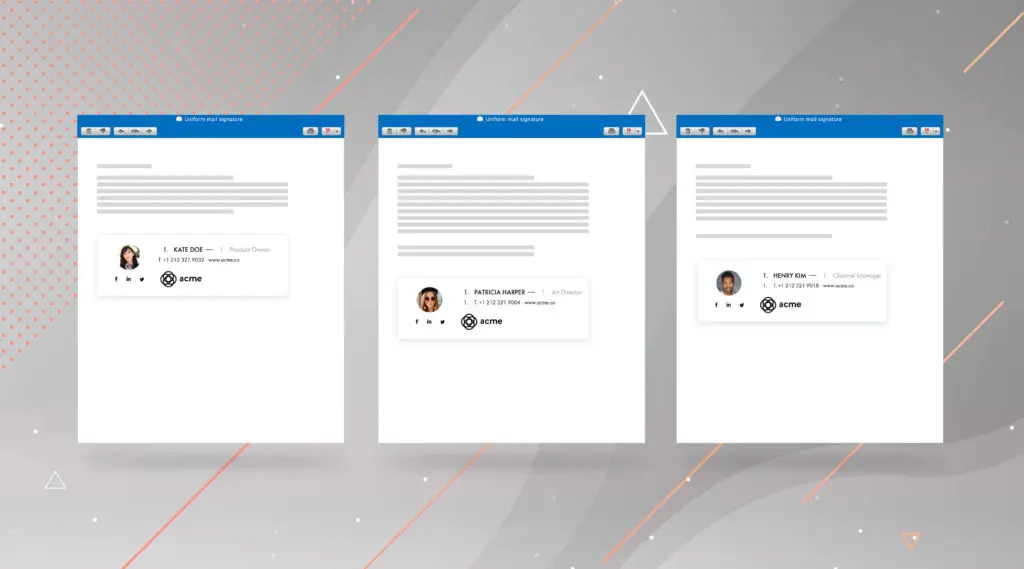


Not having harmonized signatures in your company runs the risk of bad information being transmitted to your clients and prospects such as a deformed or wrong logo, missing information, prioritization, contact errors, and sometimes even signatures that are nonexistence. The cases are numerous!

In your company, you are constantly searching for ways to improve your brand in order to increase your notoriety and ensure your permanence.
By harmonizing all of your employees’ email signatures, each one of your clients and prospects will perceive your brand image exactly how you wish to present it.
Even more, the internal brand image of a company is indispensable to the activity. Each employee should feel like a member of the group in order to apply themselves to a maximum. As a result, they will drive a positive image of the company.
In order to have unification among the employees’ information, a signature template should be defined at the general level.
How should the template form be? Simple and efficient!
The email signature should have:
Email disclaimers often take the form of a small text and are at the end of your emails. Often neglected, it is nevertheless necessary or even essential because it provides legal protection, and not only that…
Important information was usually exchanged orally or by telephone. Today, email is the preferred professional communication channel. The moment this sensitive information is sent, it is set in stone. Unfortunately, it has the potential to be harmful to you. As was demonstrated by the case in Texas, which has been highly talked about.
In addition to legal protection, disclaimers are fundamental or even mandatory in several other situations. For example, in the context of HIPAA (Health Insurance Portability and Accountability Act) or international transactions where the form of email exchanges must comply with the legislation of the most restrictive country.
So, don’t take the management of your disclaimers lightly. Prevention is better than searching for a cure!
With your template finished and disclaimers added, you now must ensure that every colleague has the desired signature. For this, you can turn to native messaging functionalities. However, they are not very successful, and they will hardly allow you to automate the management and updates effectively.
The best solution? Use a centralized and automated tool to manage your email signatures.
Letsignit allows you to create perfect signatures for your brand with the use of templates. In just a few clicks, you reinforce your brand image and can even track the performance of your email signatures. Also, the integration with your email client (Exchange, Office 365, G Suite) is made simple. Your IT manager will be happy to no longer have to deal with this subject.

This type of tool allows you to capitalize on new communication channels by relaying clickable marketing banners in each email sent by your colleagues.
The opportunities are infinite for boosting your marketing!

Learn more about adding marketing banners
*https://www.radicati.com/wp/wp-content/uploads/2017/12/Email-Statistics-Report-2018-2022-Executive-Summary.pdf








.svg)

.png)
