



.svg)


Has this ever happened to you? You try out a new recipe—say, vegetarian lasagna—and let your friends or family taste it. After the first bites, you eagerly wait for their reactions… but all you get are blank stares. If you’ve ever experienced a similar situation, whether in the kitchen or at work, then you know how confusing a lack of feedback can be!
That’s exactly why getting Google reviews is essential. They help you better understand your strengths and areas for improvement so that, over time, you can grow and evolve as a brand.
So today, we’re offering you a complete guide to Google reviews: why you should use them, how to collect them, and how to respond to all types of feedback—even the more… spicy ones.
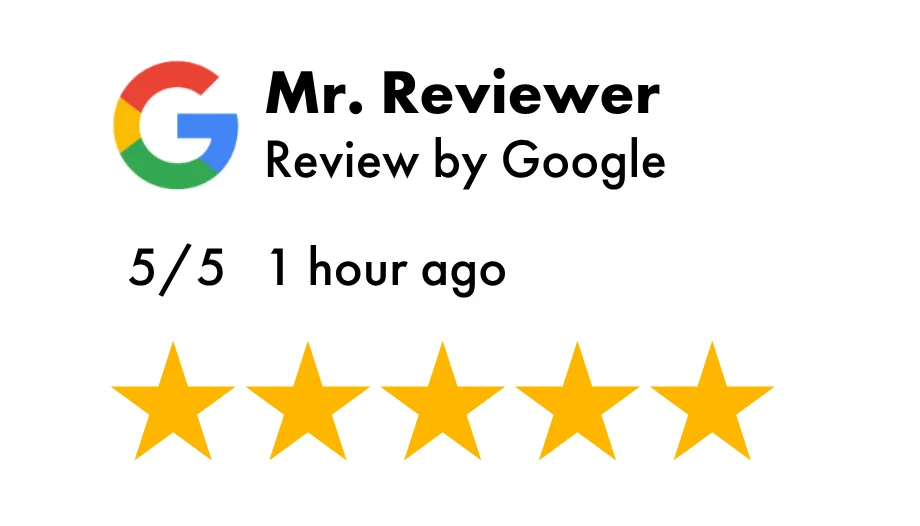
A Google review is a piece of customer feedback in the form of a written comment along with a rating out of five stars.
Google reviews are publicly visible: they appear in search results, on Google Maps, and on your Google Business Profile listing. This means any internet user can quickly form an opinion about a company’s reputation. In that sense, reviews can be considered a communication tool in their own right.

Asking for Google reviews is an art in itself! Here are some key habits to adopt in order to optimize your review collection process.
Your customers’ availability fluctuates—including when it comes to giving feedback. To ensure you receive high-quality reviews quickly, you need to ask at the right moment.
Set up your Google review link to be shared immediately after an interaction—whether it’s a purchase, a conversation with your team, or the completion of a service. The fresher and more positive the experience, the more likely your customer will be to leave a rating and a comment.
Your customers’ time is valuable—just like yours. To encourage them to leave a review and avoid frustration (which could discourage them), make the process as simple as possible.
That’s the advantage of a Google review link: one click is all it takes to provide feedback. There’s no need to search for your business or navigate a complicated process.
Don’t forget to adapt the link to your communication channels. For example, use a QR code in-store, a short URL in a text message or email, or a button on your website or email banner. Let’s take a closer look at that last suggestion.
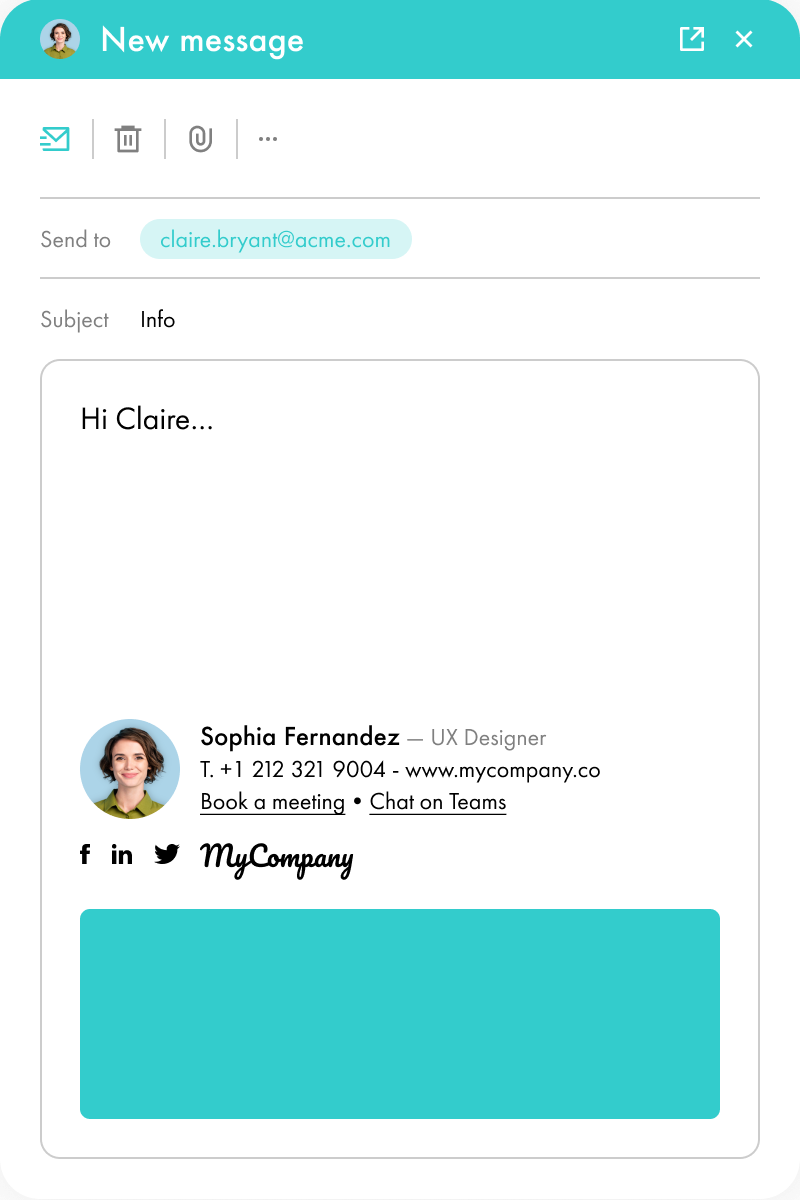
Did you know your email signature can become a powerful tool for collecting customer reviews? Present in all your communications, it allows you to request feedback regularly without being intrusive.
You can include your review request as a simple link or button in your signature. Or, to go a step further, you can integrate an email banner: visually appealing and eye-catching, it increases the visibility of your calls-to-action and boosts click-through rates.
You can certainly stick with a short, generic request like “Leave us your feedback!” But if you really want to encourage action, adding a personal touch can make a big difference.
The most effective method? Include your customer’s first name. You can also reference their purchase, their experience, or even their location.
With a tailored message, you show that their individual opinion truly matters to you. This sense of closeness encourages customers to provide quick and honest feedback.
You already know this: all communication—internal or external—should be a dialogue. One-way communication can give the impression that a company doesn’t care about its audience. The same applies to customer reviews!
Collecting feedback is good. Responding to it is even better. Whether the review is positive or negative, take the time to provide thoughtful, personalized, and helpful responses.
This will strengthen your brand image while turning every piece of feedback into an opportunity for growth. Don’t worry—we’ll explain in detail how to respond effectively later in this article.
Our final tip for organic and successful review collection: stay honest and engaged.
Don’t buy fake reviews (you could face penalties), pay attention to all feedback, and use it to improve. Customers can usually spot suspicious practices. On the other hand, authentic reviews—even from dissatisfied customers—when handled properly, enhance your credibility.
Just like in crisis communication, it’s better to address an imperfect reality professionally than to try to cover it up.

It’s time to start gathering reviews! There are three main ways to create a Google review link.
The most reliable and official method is through Google Business Profile (formerly Google My Business of GMB). The process is simple and doesn’t require technical skills, though it varies slightly depending on whether you’re using a computer or a mobile device.
On Desktop:
On Mobile:
Important: only send your review link to customers who have proof of purchase. This is necessary to remain compliant.
If you’re on the go and need a quick solution, you can also use Google Search or Google Maps.
Option One:
Option Two:
Some platforms allow you to automatically generate and manage Google reviews. This is a great option if you handle a large volume of reviews.
With these tools, each verified purchase triggers an automatic, personalized review request. If there’s no response, follow-up reminders can also be sent automatically.
Collected reviews are then displayed on your listing and on Google Maps, and can also be shared across other platforms.

A Google review link is a URL that directs customers to the review page of your business. Once created, it can be shared via SMS, email, or any other communication channel.
Instead of making customers search for your page and locate the review section, you provide them with direct access. This makes the process smoother for everyone: you collect reviews faster, and your customers can share their feedback effortlessly.

So how can review links really help you? Not only do they make it easier to collect feedback, but they also allow you to leverage that feedback to your advantage.
In your industry, you don’t need to be the biggest player—you just need to be visible.
A steady flow of reviews plays a key role in your search engine ranking. Frequent and recent reviews increase your chances of appearing at the top of search results, including on Google Maps.
By using review links, you simplify the feedback process and naturally increase the number of reviews. Search engines pick up on these positive signals, boosting your visibility and making you more accessible to new customers.
If you shop online, you probably check reviews before buying a pair of sneakers or jeans. It makes sense—you want reassurance that the product is high quality and matches its description.
Positive Google reviews act as powerful social proof. They reassure potential customers about the quality of your products or services. On the other hand, too few reviews—or too many negative ones—can damage your brand image and discourage consumers.
By encouraging your audience to leave reviews, you build a credible and professional image, which is essential for increasing conversion rates. An indirect form of institutional communication, but truly effective!
More reviews mean more attention. A high volume of feedback increases clicks on your listing, driving more traffic to your website and online ecosystem.
Potential customers see that your brand generates engagement (ideally positive), which encourages them to explore what you offer. New customers then become contributors themselves, leaving their own reviews—creating a virtuous cycle.
Would you like another technique to improve your visibility in no time? Discover the power of email signature campaigns.
You’re probably not the only business offering your product or service in your area. Your competitors are just as active.
Google reviews become a major differentiator. Positive ratings and feedback encourage customers to choose you over others.
But it’s not just about the reviews themselves—it’s also about how you respond. Consistent, personalized, and constructive replies to all reviews show that you are attentive and customer-focused.
Finally, Google review links save time and effort—for both you and your customers.
Customers don’t need to search for your business to leave a review, making the process quick and easy. This increases the number of reviews you receive.
On your end, you no longer need to spend time chasing feedback. Simply integrate your review links into your multichannel communication (QR codes, short URLs, etc.), and watch your review count grow.

Enough with theory! Let’s move on to something more concrete with 10 examples of Google review requests.
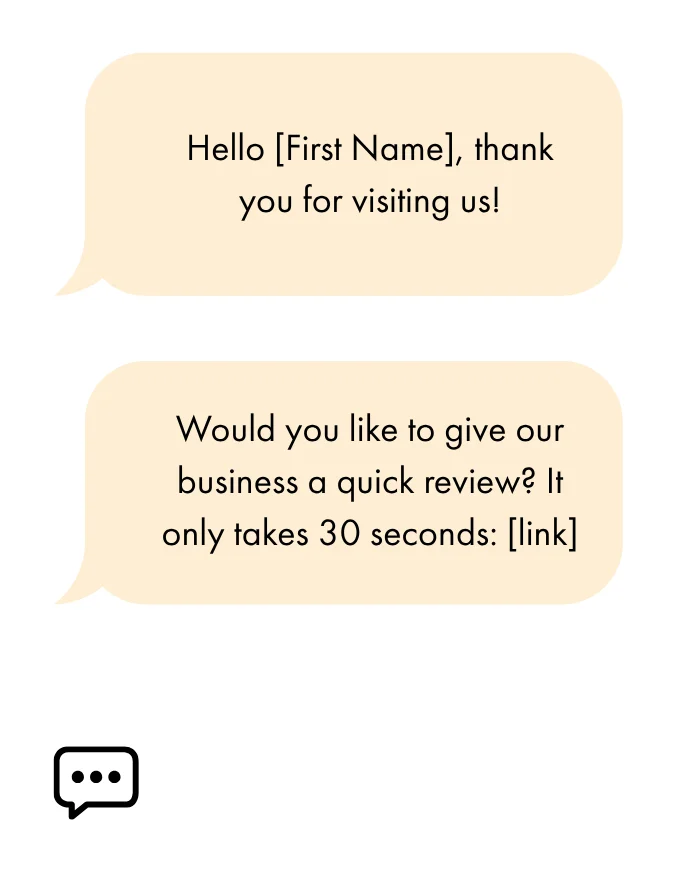
A short and effective message sent directly after a purchase, designed to create minimal friction and encourage a quick response!
Hello [First Name],
Thank you for your order! We hope that you are enjoying your product.
Please feel free to share your feedback with us here: [link]
Thank you very much.

This request is extremely quick to read and is perfectly suited to the mobile format. The effort required is minimal!
Here, the focus is placed on the specific product or service that the customer benefited from, in order to create a stronger sense of proximity and to ensure that the recipient feels directly concerned.
Hello [First Name],
We are delighted to have been able to support you with [service].
If you would like to share your feedback with us, you can do so right here: [link]
A little warmth in this world never hurts, and it helps strengthen the relationship! Here is an example of a follow-up message with a human touch.
Dear [First Name],
Your opinion means a great deal to us ❤️
If you enjoyed spending time with us, please let us know: [link]
In this version, we rely on a persuasive and momentum-driven effect by highlighting the popularity of leaving reviews.
Hello [First Name],
Our customers enjoy sharing their experience with us. Why not you?
Leave your review here: [link]
If you need to send a follow-up regarding a review request, it is best to use a light and friendly tone. The customer will feel less pressured and will therefore be more inclined to respond.
Hello [First Name],
Just a quick reminder following your recent experience with us 🙂
Your feedback helps us to support you even better: [link]
In this version, the emphasis is placed on the beneficial impact that leaving a review has on the wider community.
Hello [First Name],
You may not realize it, but your review helps other customers make the right choice!
Share it here: [link]
A company that listens and is ready to evolve inspires trust and encourages sincere feedback.
Hello [First Name],
Your opinion helps us to improve.
You can leave your feedback here: [link]
To take advantage of the immediacy of the in-store experience, nothing is more effective than a QR code.
"Your feedback is essential! Scan this QR code to share your thoughts with us in just a few seconds."

For a younger, more digitally connected audience, a light and concise request integrated into an email banner can work wonders! The email banner will naturally catch the eye and highlight your request. In this case, opt for a clean banner that reflects your brand colors, with a clearly visible button dedicated to leaving a review.
So, how was your experience with us? 😄
Tell us everything: [link]


Collecting Google reviews is not limited to simply accumulating high ratings and positive comments. An effective review collection strategy also includes providing appropriate responses to each review. After all, a brand that maintains an ongoing dialogue is a brand that can be trusted. Here is how you should respond to your customer reviews.
The first instinct to adopt when responding effectively to reviews is to react without delay, ideally within a timeframe of 24 to 72 hours.
Your customer has taken time out of their day to provide feedback. A prompt response demonstrates that you are attentive and actively engaged in the relationship. Conversely, a delayed response may give the impression of a lack of commitment or organization.
Whether the feedback is positive or negative, every review deserves a thank you.
In the first case, you are expressing your gratitude for a positive and reinforcing comment; in the second case, you are acknowledging the importance of critical feedback in helping you improve. Your customers will see this as a sign of professionalism. At the same time, you humanize your customer relationship.
Copy-and-paste responses do not create a good impression: they signal to your customers that their feedback is not truly being taken into account.
For each response, do not hesitate to mention the customer’s first name whenever possible. You can also refer to a specific part of their comment. This demonstrates that their feedback has been read carefully and genuinely considered.
Positive reviews represent valuable opportunities to strengthen your brand image.
Use each enthusiastic piece of feedback to reiterate your strengths and your values. For example, if a customer appreciated your personalized support, you can highlight your commitment to delivering a tailored service.
Tip: you can use your email signature to showcase positive reviews! To do so, make sure that you define the appropriate signature format.
This is the golden rule: even when faced with a critical or even aggressive comment, you must remain professional and effective.
Make sure that your response is calm, that you acknowledge the issue (if it is justified), and that you propose an appropriate solution. You may also suggest continuing the conversation privately if necessary.

Be careful!
It can be tempting to purchase or use fake Google reviews in order to enhance your image and stand out. But let’s be clear: this is a very bad idea.
First of all, from an ethical standpoint: as a business that values integrity, the last thing you want to do is mislead your audience. Your long-term objective should be to build a genuine relationship with them by being transparent about the reality of your offering.
Secondly, the use of fraudulent reviews (such as fictitious positive reviews or comments from acquaintances) is considered a deceptive commercial practice and is punishable by law in many countries. Consumer protection regulations, in particular, require that you do not provide information that could mislead consumers.
In the event of a violation, the penalties can be severe, including significant fines and legal consequences depending on your country.
So, no to fake reviews, and yes to constructive feedback and meaningful dialogue!
*****
Collecting Google reviews can be done in several ways and can significantly enhance your brand image. The key is to handle feedback properly—responding effectively and using it to improve.
And remember: tools like email banners can help you request feedback more efficiently. Be sure to explore them!

Yes, with the 'Campaigns' offer, it is possible to track the number of clicks on the email signatures of all your employees in the 'Statistics' area of the platform.
You can then access a detailed or global view of the number of clicks on the email signatures of each employee. You can use the search option to target a specific signature or a given period. Finally, you have the possibility to export all statistics to an Excel document.
If you launch campaigns with banners inserted in your email signatures, you can also access their performance via this same space.
With Letsignit, you can easily add social network icons in your collaborators' email signatures and link to your company pages. Also, our "attributes" feature allows you to manage personalized URLs for each of your collaborators such as their individual LinkedIn profile.
And that's not all: you can add links to an appointment-setting application, allow your customers to leave reviews easily, and integrate our 'Chat on Teams' widget to let anyone start a discussion via Microsoft Teams chat.
It’s up to you! As an administrator of the Letsignit platform, you choose whether or not to grant modification rights to your employees. These permissions are managed on an attribute-by-attribute basis, which means that you can decide to allow the employee to change their phone number, but not the address of your premises, for example.
This feature applies to all attributes in your directory, including custom attributes created on Letsignit. When your employees change one or more attributes, your directory is obviously not affected.
It often happens that employees make their email signature their own: custom format, bad fonts, colors inconsistent with the brand standards... all of this has an impact on your brand!
A consistent visual identity is considered authentic and outperforms a perceived weak one by 20%. And, your customers are 2.4 times more likely to buy your products.
With Letsignit, take back control over your brand identity by standardizing all your email signatures. Our tool has many features that allow you to customize your signatures by department, by audience or by subsidiary. Not to mention the possibility of carrying out campaigns within your email signatures thanks to our Campaign offer.
What is the user experience like for our employees?
In both cases:
In short, they have autonomy in their email signature, but you keep control on the field, signatures, and banners they can edit or use.
With our "multi-signature" feature, your employees can benefit from multiple email signatures. No technical manipulation is required. Thanks to our Add-in for Outlook or the desktop app, they can change their email signatures as they wish with just a few clicks.
Regarding the creation of email signatures, you can make several variations such as:
Everything has been thought of to go further in the personalization process based on the recipient of your emails.
If sending emails has an impact, non-optimized email signatures also have an impact. An unsuitable format or an image that is too heavy considerably increases the size of your signatures... and therefore, your emails.
As a responsible economic actor, we contribute to reducing our CO2 emissions and those of our customers in several ways:
As we are increasingly involved in sustainability initiatives, our priority in 2023 is to develop even more green IT functionality.
If sending emails has an impact, non-optimized email signatures also have an impact. An unsuitable format or an image that is too heavy considerably increases the size of your signatures... and therefore, your emails.
As a responsible economic actor, we contribute to reducing our CO2 emissions and those of our customers in several ways:
As we are increasingly involved in sustainability initiatives, our priority in 2023 is to develop even more green IT functionality.
You can obtain Google reviews by asking your customers directly after an interaction—whether via email, SMS, or in person—while ensuring that your request is well-timed, polite, and easy to act upon through a direct review link.
To create a profile on Google Business Profile, you need to sign in with a Google account, register your business by providing accurate information (such as name, address, and category), and complete the verification process. Once your profile is validated, customers will be able to leave reviews directly on your listing.
No, purchasing Google reviews is not legal. It is considered a deceptive commercial practice and violates the policies of Google, as well as consumer protection laws in many countries. Engaging in such practices may result in penalties, including fines and the suspension of your business listing.
You cannot directly delete a Google review yourself. However, you may report a review that violates the policies of Google. The final decision regarding its removal is made by Google.
There is no fixed number of reviews required to establish credibility. However, businesses that accumulate several dozen reviews—combined with a consistent flow of recent feedback—are generally perceived as more trustworthy by users.
The Google Local Guides program is a community initiative developed by Google in which users contribute reviews, photos, and information on Google Maps. In return, they earn points, increase their level, and may occasionally receive benefits such as early access to features or invitations to special programs.
To write a Google review, you must first have a Google account and be logged in. You then search for the business either through Google Search or via Google Maps, access the business listing, navigate to the reviews section, give a rating, write your comment, and publish it.


Lorem ipsum dolor sit amet, consectetur adipiscing elit, sed do eiusmod tempor incididunt ut labore et dolore magna aliqua. Ut enim ad minim veniam, quis nostrud exercitation ullamco laboris nisi ut aliquip ex ea commodo consequat. Duis aute irure dolor in reprehenderit in voluptate velit esse cillum dolore eu fugiat nulla pariatur.


